Which VPN Server Location Should You Choose?
Which VPN server location should you choose? Nearest for speed, the content's country for streaming, near the game server for gaming. One rule for every goal.
Which VPN server location you should choose depends on why you connected. For speed, pick the server closest to you. For streaming or shopping, pick the country whose content or prices you want. For privacy, the country matters far less than the provider's logging policy. Below is the rule for each goal, and the mistakes that make a VPN feel slower than it needs to be.
- Nearest server for everyday speed; distance adds latency on every request.
- Streaming: the country of the library you want, closest city to you within it.
- Privacy: a no-logs provider matters more than any country on the map.
- Blocked network: nearest country outside the block, on OpenVPN TCP 443 or an obfuscated server.
Which VPN location is best for speed?
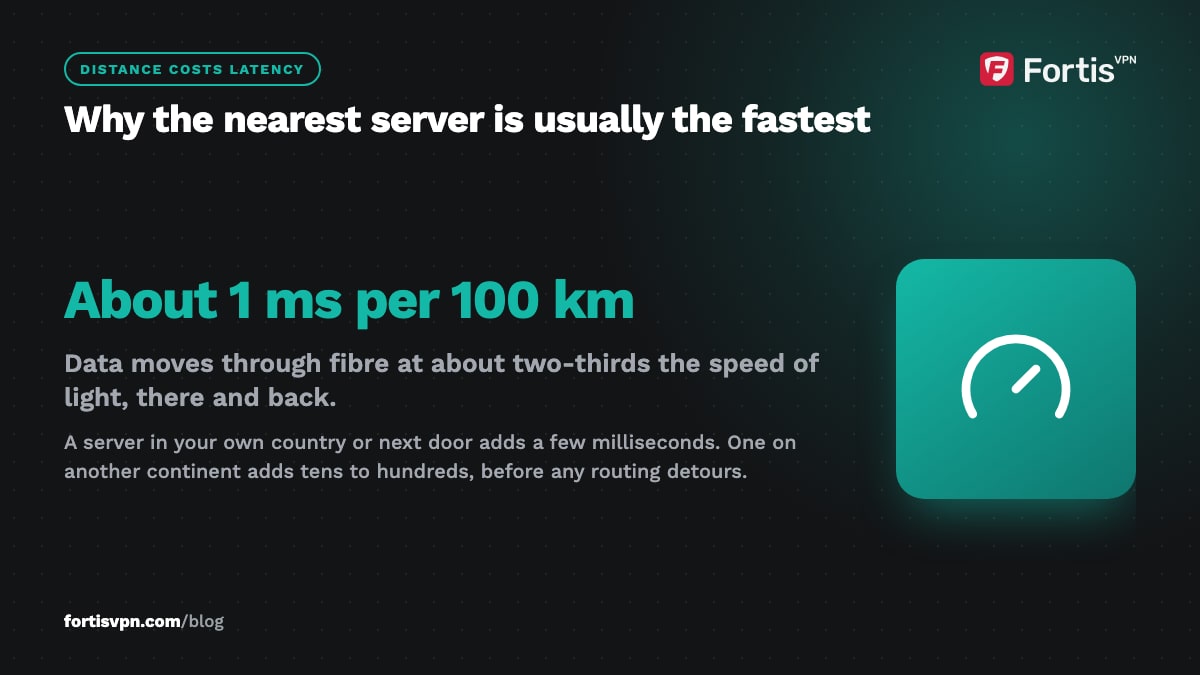
The closest VPN server with spare capacity. Distance adds latency: data travels through fibre at roughly two-thirds the speed of light, which works out to about 1 millisecond of round-trip time for every 100 kilometres, before any routing detours. A server in your own country or a neighbouring one adds a few milliseconds. One on another continent adds tens to hundreds of milliseconds.
Latency hurts anything interactive: page loads, video calls, games. Raw download speed is affected less by distance, but a long route crosses more congested links, so far servers tend to lose on both counts.
Load matters as much as distance. A nearby server packed with users can be slower than one a country away. If a close server feels slow, try the next-closest, or another server in the same city. Most apps, including FortisVPN's, have an Auto option that picks for you; use it unless you need a specific country. For what else costs speed, and the settings that fix it, read how to make your VPN faster.
Which VPN server is best for streaming?
The best country to connect to is the one whose library you want to watch. Streaming services show you the catalogue that matches your IP address, so a UK server shows UK content and a US server shows US content. Your account stays the same; only what appears in it changes.
Within that country, prefer the server closest to you physically. If you are in Spain watching UK content, any UK server is close enough; what you want to avoid is a route through a third continent first. For live sport, where a stall is painful, this is worth getting right.
If the service says it has detected a VPN, that server's address has been flagged. Switch to another server in the same country; if the service still detects a VPN, ask support for one that currently works. The streaming detection guide covers the app-cache and GPS issues that cause the same symptom. No VPN can guarantee access to any particular service.
Which VPN country is best for privacy?
The honest answer is that the server country is the least important privacy choice you make. What protects you is a provider that keeps no activity or connection logs. If nothing is stored, there is nothing to hand over, whichever country the server sits in. Read our explanation of what a no-logs policy means before you worry about geography.
That said, two things about location deserve a little thought:
- Mandatory data retention. Some countries require ISPs and telecoms to keep connection records for months or years. A VPN server is usually not covered in the same way an ISP is, but a server in a country with sweeping surveillance laws is a slightly larger target for legal demands.
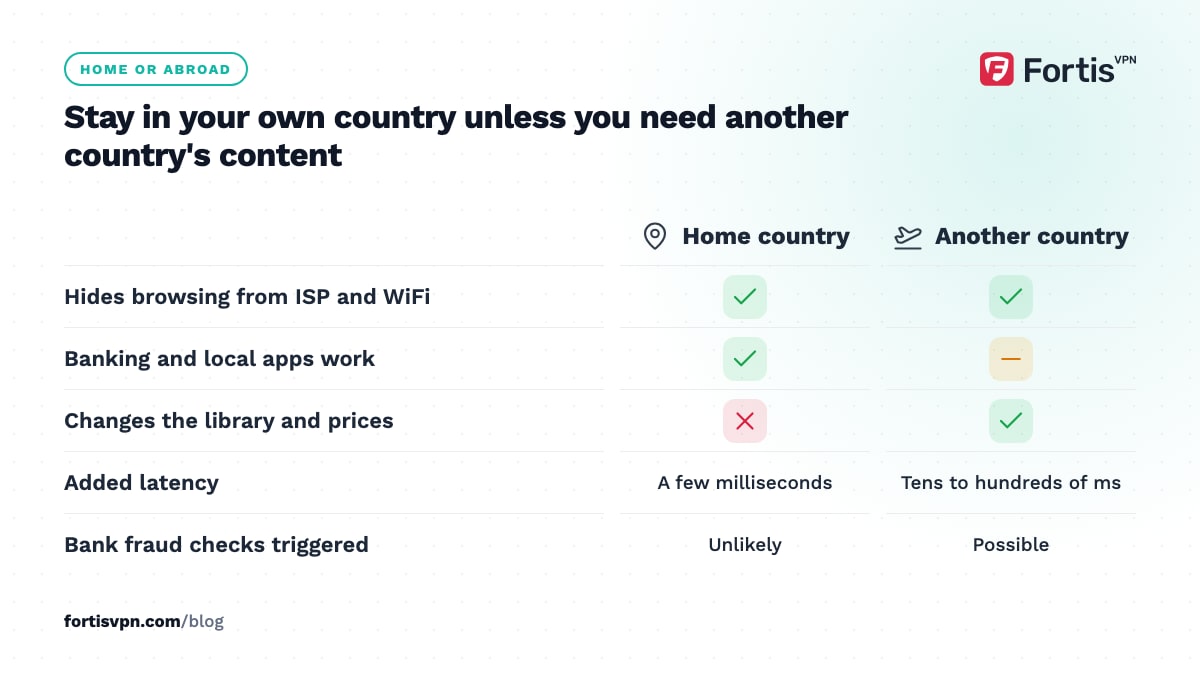
- Your own country. Connecting to a server at home hides your traffic from your ISP and the WiFi owner, which is often the whole goal. Picking a random far-away country "for privacy" buys you latency and nothing else.
Do not pick a country because a forum post called it safe. Pick a nearby server from a provider whose logging policy you have read.
Which location for gaming, shopping and travel?
Gaming. Connect near the game's server, not near you. If the match is hosted in Frankfurt and you are in Cairo, a Frankfurt VPN server can give a shorter, steadier route than your ISP's default path. For the ping details, and for keeping DDoS attacks off your real address, see VPN for gaming. If you only want privacy while gaming, nearest wins again.
Shopping and banking. Connect to your home country. Banks and shops flag logins from unexpected countries and may lock the account or decline the card. A server in your own country keeps your traffic private without changing the picture your bank sees.
Travel. Same rule: your home country. It keeps your banking app, streaming subscriptions and local services working as if you never left, and it hides your browsing from hotel and airport WiFi.
Which location when the network blocks VPNs?
Offices, universities, some hotels and a few countries block common VPN ports. Location helps less than protocol here. Pick a server in a nearby country, then switch the protocol to OpenVPN TCP on port 443, which looks like ordinary HTTPS traffic, or use an obfuscated server if your app offers them.
Nearby still matters because a blocked network often forces TCP, which is slower than UDP, and distance makes TCP slower still. Choosing the closest country outside the block, rather than a popular far-off one, keeps the connection usable.
Does the server country change which laws apply to you?
Not really. You are still physically where you are, and your own country's laws still apply to what you do, in 2026 as before. Connecting to a server abroad does not make a download legal that is illegal at home, and it does not make VPN use legal in a country that restricts it.
What the server country does affect is which laws the VPN provider has to answer to for that server, and which libraries and prices websites show you. If you are in a country with VPN restrictions, read is it legal to use a VPN first. This article is general information, not legal advice.
The right location for each goal
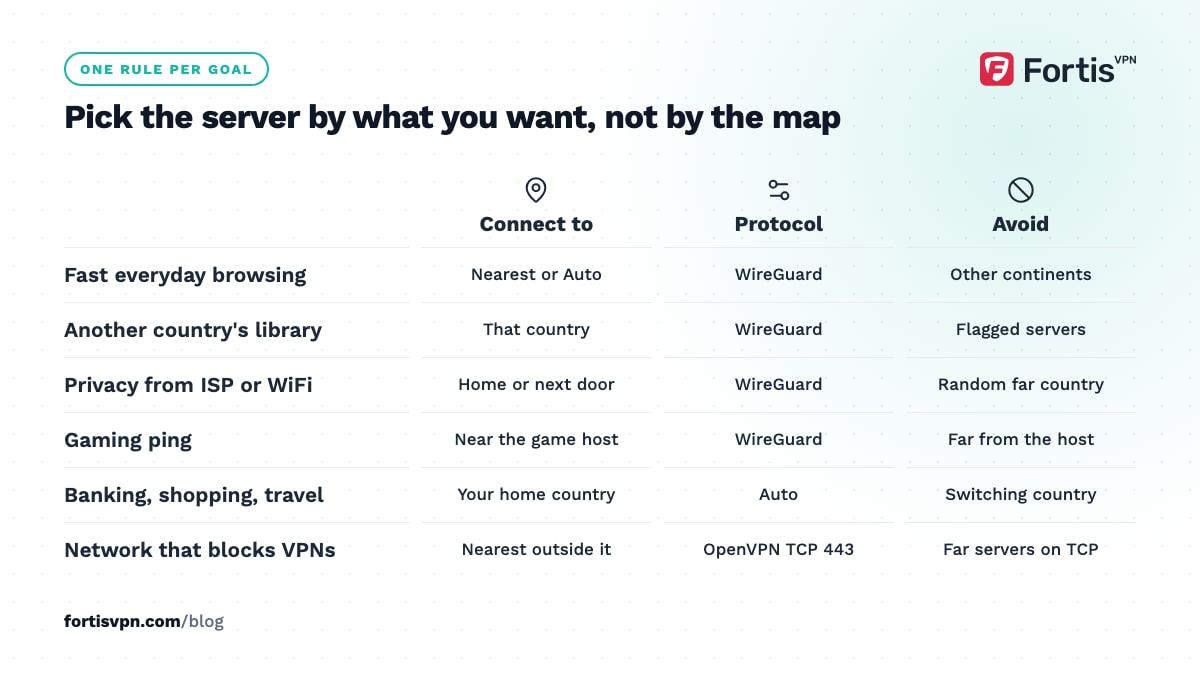
| Goal | Connect to | Protocol | Avoid |
|---|---|---|---|
| Fastest everyday browsing | Nearest server, or Auto | WireGuard | Other continents |
| Streaming another country's library | That country, closest city to you | WireGuard | Servers already flagged by the service |
| Privacy from ISP or WiFi owner | Your own country or next door | WireGuard | Random distant "safe" countries |
| Gaming ping | Near the game server | WireGuard | Anything far from the game host |
| Banking, shopping, travel | Your home country | Auto | Switching countries mid-session |
| Network that blocks VPNs | Nearest country outside the block | OpenVPN TCP 443 or obfuscated | Far servers over TCP |
Choosing a location in FortisVPN
FortisVPN has servers in 100+ countries, and the server list shows every location along with the protocols each supports. In the apps, the Auto option connects you to the nearest available server, which is the right choice for everyday browsing. To pick a country, open the location list and choose it; on Windows the steps are in choose a server location, and the Android app works the same way. If a chosen server feels slow, switch to another in the same country before changing country; load varies by server, not by nation. Try it on a 7-day free trial and test the locations you actually need.
Frequently asked questions
Which VPN country is safest?
No country makes a logging VPN safe, and no country makes a no-logs VPN unsafe. Judge the provider's logging policy first. If you still want to weigh geography, prefer a server close to you, and treat countries with sweeping data retention or surveillance laws as a mild negative rather than a deal-breaker.
Does VPN location affect speed?
Yes, more than any other setting except protocol. Every 100 kilometres between you and the server adds roughly a millisecond of round trip, and long routes cross more congested links. A server in your region usually costs a few percent of speed; one on another continent can cut throughput sharply and make pages feel sluggish.
Which VPN server is best for Netflix?
A server in the country whose Netflix library you want, as close to you as possible within that country. If Netflix shows a proxy error, that address has been flagged; switch to another server in the same country or ask support which one currently works. No server is guaranteed to work with any streaming service.
Should I connect to a VPN server in my own country?
Yes, if your goal is privacy from your ISP or the WiFi you are on, banking, or ordinary browsing at full speed. It hides your traffic and your real address without changing what region websites think you are in. Connect abroad only when you need content, prices or services from that other country.
Why is my VPN slow on a nearby server?
Usually load: that server is busy, or your ISP's route to it is congested. Switch to another server in the same city or country. If every nearby server is slow, change protocol to WireGuard, test on a wired connection or 5 GHz WiFi, and check whether your speed without the VPN is also lower than normal.
Last updated: 4 October 2026