Netflix Proxy Error M7111-5059: Why It Happens and How to Fix It
Netflix proxy error M7111-5059 means Netflix thinks your IP address belongs to a VPN or proxy. Here is why it happens and the fixes that clear it, in order.
Netflix proxy error M7111-5059 means Netflix has decided the IP address you are connecting from belongs to a VPN, proxy or "unblocker", so it refuses to play the video. The fastest fix is to disconnect and reconnect to a different VPN server in the same country. If that does not clear it, the steps below cover cached sessions, DNS and IPv6 leaks, device settings, and the rarer case where you see the error with no VPN at all.
- The message reads "You seem to be using a VPN or proxy", with code M7111-5059, F7111-5059 or E106.
- Netflix flags shared IP ranges and data-centre addresses; it blocks the stream, not your account.
- Switching server, force-closing Netflix and fixing DNS or IPv6 leaks solve most cases.
- No VPN and still blocked: your ISP's shared addressing or an antivirus VPN is the usual cause.
What does Netflix error M7111-5059 mean?
M7111-5059 is Netflix's VPN detection error. The full text on a browser reads "You seem to be using a VPN or proxy. Please turn off any of these services and try again." Older versions said "unblocker or proxy", which is why many people still search for that wording. The 5059 part is the same across variants: you may see M7111-5059, M7111-1331-5059 or F7111-5059 in a browser, and newer apps show the shorter code E106 with the same sentence.
The error is not a fault on your device. Netflix has looked up the IP address your traffic arrives from, matched it against addresses it associates with VPN and proxy services, and declined to stream. Everything else about your account, including billing, profiles and downloads already on your phone, is unaffected.
Netflix's own help page for this error tells you to turn the VPN off, check your plan, reset network settings and, failing that, contact your ISP. That advice is written for people who are not meant to be on a VPN. If you are using one on purpose, the rest of this article is the version you need.
Why does Netflix think I am using a VPN or proxy?
Netflix does not see your VPN app. It sees an IP address and a few signals around it, and any of these can trigger the block:
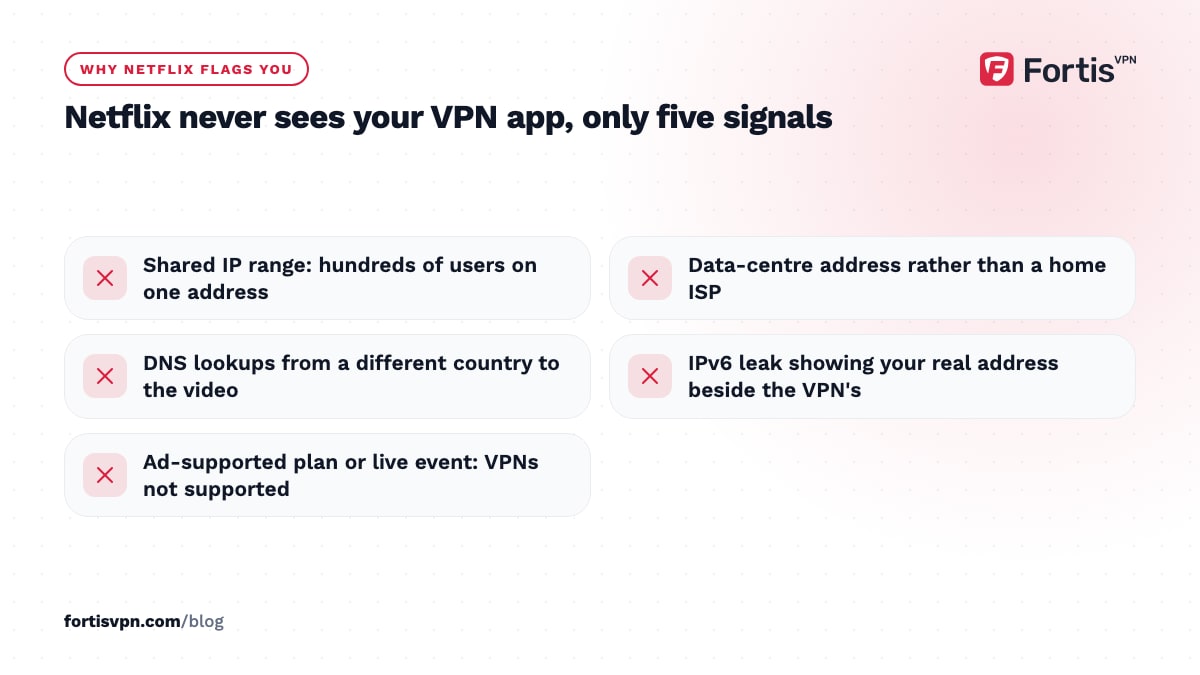
- Shared IP ranges. Hundreds of VPN users share one server address. When Netflix sees far more accounts on one address than a home connection could hold, it lists the range.
- Data-centre addresses. VPN servers live in hosting centres, and Netflix can tell a hosting network from a residential ISP. That is the reason home connections rarely see this error.
- DNS mismatch. If your video request comes from a US address but your DNS lookups come from your home ISP, Netflix treats the mismatch as a proxy.
- IPv6 leak. Many VPN tunnels carry only IPv4. If your network has IPv6, Netflix can see your real IPv6 address alongside the VPN's IPv4 one.
- Plan type. Netflix says VPNs are not supported at all on ad-supported plans or for live events, so an ads plan is blocked more aggressively.
Netflix states that it does not use GPS to place your devices, so your phone's location services are not the cause, whatever some older guides say.
How to fix the Netflix proxy error
Do these in order and test Netflix after each step. The first two clear the majority of cases; the rest deal with leaks and stale settings.
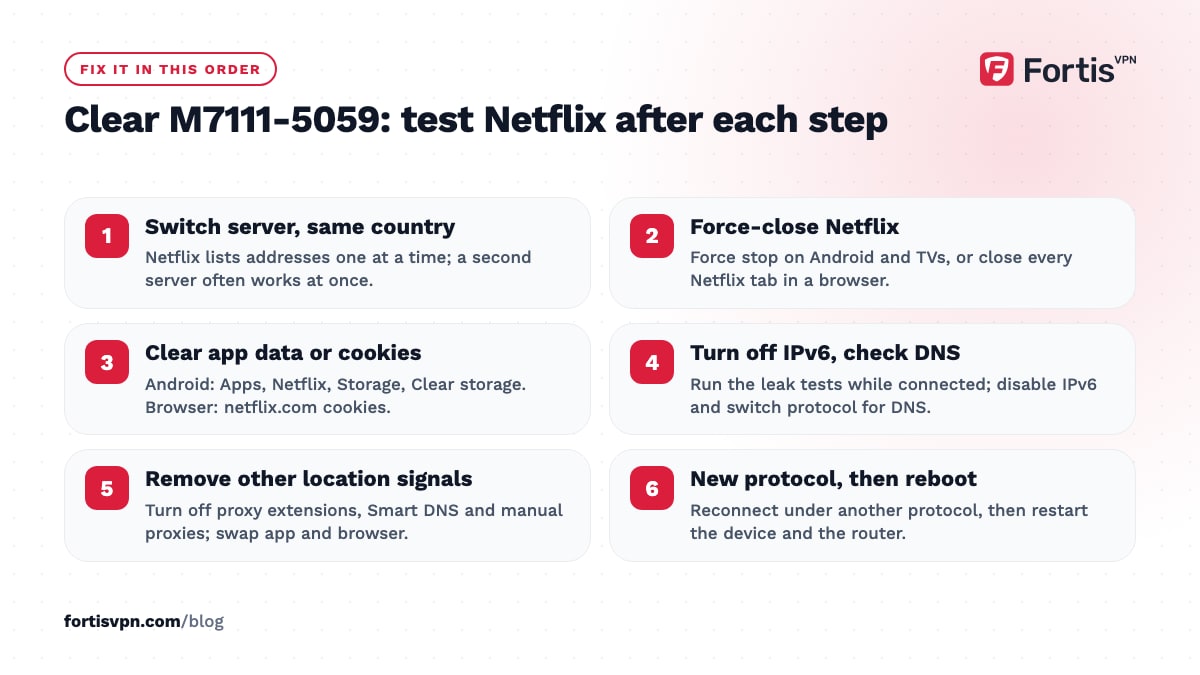
- Disconnect and reconnect to a different server in the same country. Netflix lists addresses one at a time, so a second server in the same city often works immediately.
- Force-close Netflix and reopen it. On Android and TVs use Force stop in the app settings; in a browser, close every Netflix tab. The app keeps the old location in memory until it is restarted.
- Clear the Netflix app data or browser cookies. Cached tokens remember the address you signed in from. On Android: Settings, Apps, Netflix, Storage, Clear storage. In a browser, delete cookies for netflix.com.
- Turn off IPv6 on the device. Run the IPv6 leak test while connected. If it shows an address, disable IPv6 in the adapter settings on Windows, or in the WiFi network settings on Android, and reconnect.
- Check for a DNS leak. Your DNS should resolve through the VPN. If a leak test shows your ISP's servers, switch protocol in the app or set the DNS to the VPN provider's. What a DNS leak is and how to fix it walks through this.
- Turn off every other proxy or Smart DNS. Browser extensions, a Smart DNS entry in your router, or a manual proxy in Windows settings all add a second location signal.
- Switch between the app and the browser. If the app is blocked, netflix.com in a browser sometimes works, and the reverse, because they use different session caches.
- Change the VPN protocol. A reconnect under a new protocol gives you a fresh session and may land you on a different address.
- Restart the device and the router. This flushes cached DNS answers and any half-open connections that still point to your home country.
Fixes by device
Android phone or tablet
Connect the VPN first, then open Netflix. If the error appears, go to Settings, Apps, Netflix, then Force stop and Clear storage, and open it again. Check that no second VPN or private DNS setting is active under Network settings, because Android allows only one VPN at a time and a Private DNS entry sends lookups outside the tunnel.
Windows browser
Close all Netflix tabs, clear cookies for netflix.com, and confirm that Windows has no manual proxy under Settings, Network and internet, Proxy. Disable IPv6 on the active adapter if the leak test shows an address. Chrome and Edge keep a separate DNS-over-HTTPS setting; switch it to the system resolver while testing.
Android TV, Google TV and Fire TV
Connect the VPN app on the TV, then force-stop Netflix from the app settings and reopen it. If the TV still shows the error, set the VPN app to auto-connect so Netflix never launches before the tunnel is ready. Split tunnelling on TV lets you keep local apps off the VPN while Netflix stays on it. The streaming service detects VPN page lists the TV-specific checks.
Samsung, LG and other smart TVs
These TVs cannot run a VPN app, so the VPN must be on your router or on a streaming stick plugged into the TV. With a router setup, the fix is the same: change the router's VPN server, then restart the TV so the Netflix app picks up the new address.
Getting the proxy error without a VPN
Some people see M7111-5059 on a plain home or mobile connection. The common causes are:
- Carrier-grade NAT. Many mobile carriers and some fibre ISPs put thousands of customers behind one public address. Netflix can mistake that for a proxy.
- An antivirus or security suite with a built-in VPN. Netflix's help page calls this out specifically. Open the security app and check whether its VPN or "secure browsing" feature is on.
- Smart DNS or a proxy on the router. A setting left over from an old service keeps rerouting location checks.
- Work networks. Corporate WiFi often sends traffic through a central proxy in another city or country.
Netflix suggests running fast.com, choosing Show more info, and comparing the Client country with where you are. If it is wrong, reset the device's network settings and then contact your ISP; Netflix asks the ISP to confirm you are using its DNS servers and to raise the address with Netflix directly if the problem persists.
Will Netflix ban me for the proxy error?
No. The error blocks playback; it does not touch your account. Netflix's help pages for this error describe network checks and ISP contact, not warnings or suspensions, and the Terms of Use give Netflix the right to restrict content rather than a process for closing accounts over VPN use. The same terms do say you should watch mainly in your sign-up country, so a VPN is outside the rules even though it is legal in most places. How to change your Netflix region covers that policy side. This article is general information, not legal advice.
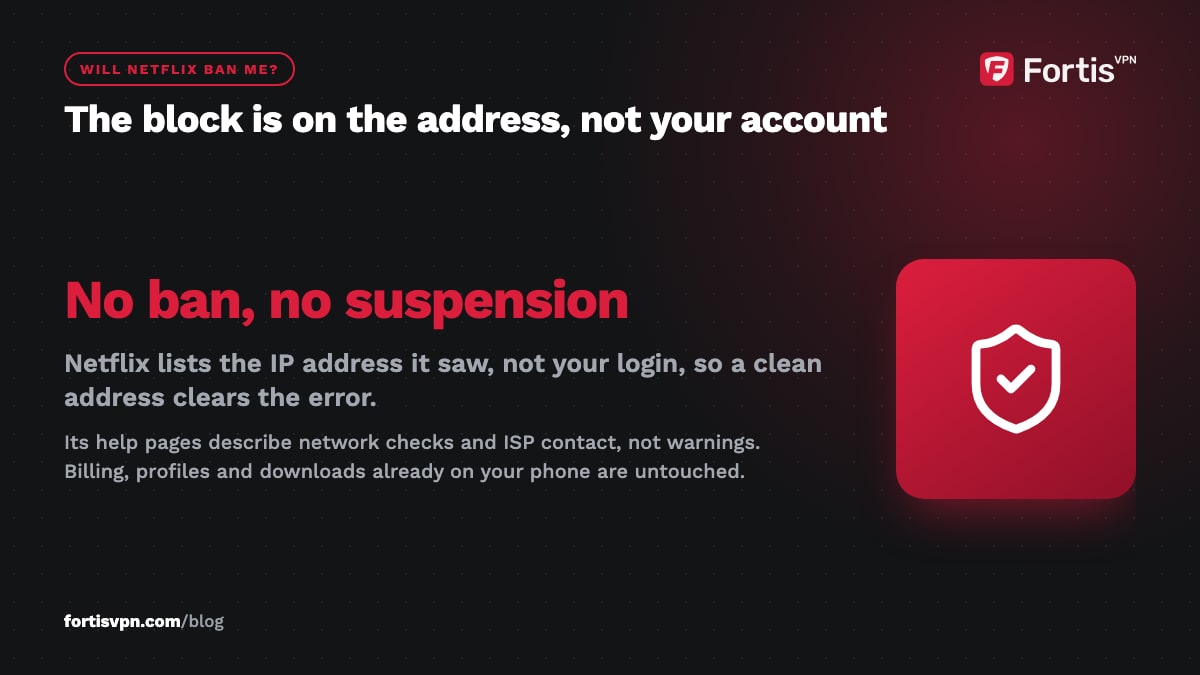
A block on one address is also not permanent for you. Netflix lists the address, not your login, so the moment you connect through a clean address the error goes away.
Fixing the Netflix proxy error with FortisVPN
Connect to a server in the right country; if Netflix still detects a VPN, switch to another server in that country or ask support for one that currently works. FortisVPN's 24/7 live chat keeps track of which addresses are currently clear, so asking saves the trial and error. The apps route DNS through the tunnel and offer WireGuard, OpenVPN UDP and OpenVPN TCP under Settings, which covers steps 5 and 8 above without extra tools.
A dedicated IP is the other option: a static address only you use, so no crowd of other users can get it listed. It is an optional add-on bought with the plan or from your account dashboard; the dedicated IP help page shows where. Every plan has a 7-day free trial, so you can start a 7-day free trial and test with your own Netflix account before committing. The contact page reaches support if chat is busy.
Frequently asked questions
Why do I get the proxy error on my TV but not my phone?
Each device keeps its own Netflix session, so the TV may still hold the address it saw at launch while the phone started fresh. TVs are also more likely to have IPv6 enabled on the home network, which leaks your real address. Force-stop Netflix on the TV, reconnect the VPN there, and check IPv6 on that device.
Can Netflix detect a VPN?
Yes, some of the time. Netflix cannot see inside the encrypted tunnel, but it can recognise addresses shared by many users, addresses that belong to hosting companies, and mismatches between your video traffic and your DNS or IPv6 traffic. Detection is per address, which is why one server fails while the next one in the same country works.
Why do I get the proxy error without a VPN?
Your connection shares a public address with many other people, or something on your device is rerouting traffic. Mobile carriers and some ISPs use carrier-grade NAT; antivirus suites bundle VPNs; routers sometimes keep an old Smart DNS setting. Check fast.com for the detected country, remove any proxy settings, and then ask your ISP to raise the address with Netflix.
Does a dedicated IP fix the Netflix proxy error?
Often, though not always. A dedicated IP is used by you alone, so it avoids the crowd that gets shared addresses listed. It still sits in a data centre, and Netflix can recognise hosting networks, so it is not a guarantee. The trade-off is privacy: one fixed address links all your activity together.
How long does a Netflix VPN block last?
The block applies to the address, not to you, and it has no fixed expiry. Some addresses stay listed for months; others are cleared when the VPN provider rotates them. For you, the block lasts only until you connect through an address Netflix does not recognise, which is why switching servers is the first fix.
Last updated: 16 October 2026