How to Watch BBC iPlayer Abroad in 2026
How to watch BBC iPlayer abroad in 2026: a UK VPN server, a BBC account with a UK postcode and a TV Licence, plus fixes for the only-works-in-the-UK message.
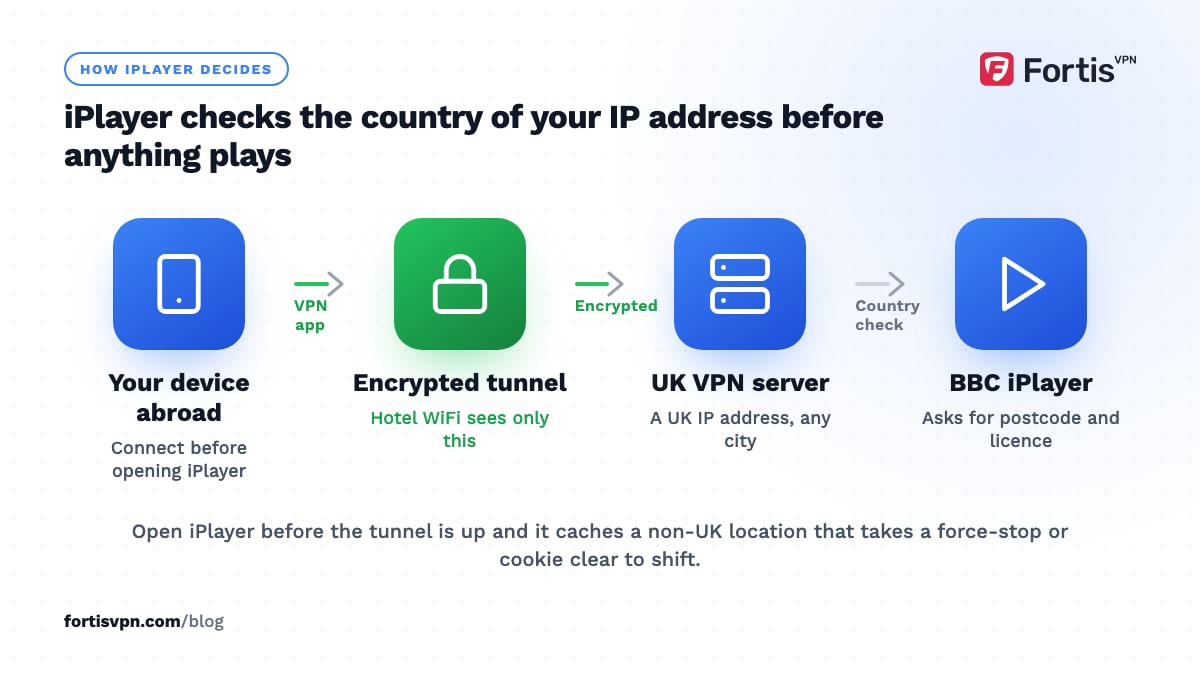
To watch BBC iPlayer abroad, connect to a VPN server in the UK, sign in to your BBC account with a UK postcode, and confirm you hold a TV Licence when iPlayer asks. iPlayer checks the country of your IP address before it plays anything, so a UK address is the whole trick. The BBC's terms say iPlayer is for UK use only and it blocks known VPN addresses, so expect to switch servers now and then.
- iPlayer is funded by the UK TV Licence and limited to the UK by rights deals, so it blocks foreign addresses.
- You need a BBC account with a UK postcode and, by law, a TV Licence at your UK address.
- Works on Android, Windows, Android TV, Google TV and Fire TV with a UK server; no guarantees.
- The only BBC-approved route is downloading programmes in the app before you leave.
Why does BBC iPlayer only work in the UK?
Two reasons, and they pull the same way. First, the BBC buys and makes programmes under rights that cover the UK only; showing them abroad would need separate deals in every country. Second, iPlayer is paid for by the TV Licence, which only UK households pay, so the BBC restricts the service to the people who fund it.
iPlayer enforces this with your IP address. If the address belongs to a non-UK network, you get the message "BBC iPlayer only works in the UK. Sorry, it's due to rights issues." The BBC has said since 2015 that it blocks addresses it identifies as VPN services, and that accessing iPlayer from outside the UK breaks its terms of use. As of October 2026, nothing in the current BBC Charter review changes that: MPs have floated an international licence, but no overseas iPlayer service exists.
What you need to watch BBC iPlayer abroad
Four things, and the BBC checks three of them:
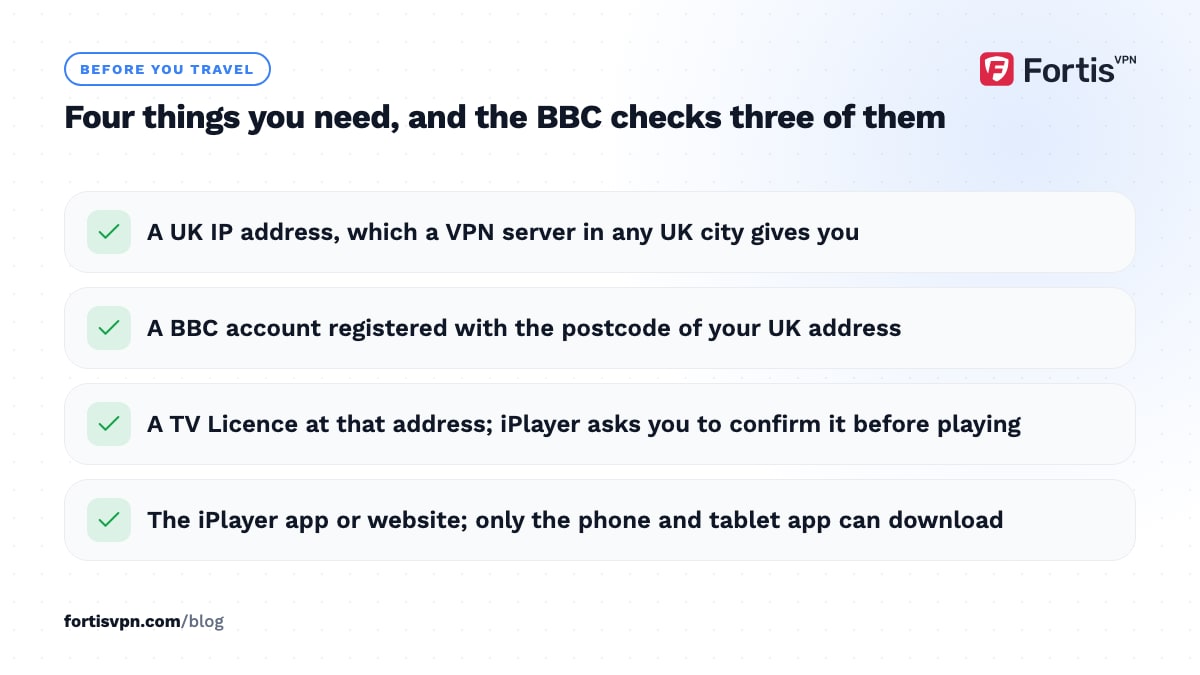
- A UK IP address. A VPN server located in the UK gives you one. Any UK city works; London is the most common choice.
- A BBC account with a UK postcode. iPlayer has required sign-in since 2017, and the sign-up form asks for a postcode. Use the postcode of your UK address.
- A TV Licence. UK law requires a licence to watch or download anything on iPlayer, live or on demand, on any device. iPlayer asks you to confirm you have one before the first programme plays.
- The iPlayer app or website. Both work with a VPN. Downloads for offline viewing are only in the phone and tablet app.
On the licence point, TV Licensing says you must be covered by a licence to use iPlayer on any device, and that a licence at your home address covers you on a device that is not plugged into the mains elsewhere. iPlayer takes your word for it at the prompt, though the BBC has said it can use sign-in data in licence enforcement, and this article does not suggest giving a false answer. If you have moved abroad and no longer have a UK address or licence, you are outside what the BBC permits, whatever the technology allows.
How to watch BBC iPlayer abroad step by step
Connect the VPN first, then open iPlayer. Opening iPlayer before the tunnel is up caches a non-UK location that takes a restart to clear.
Android phone or tablet
- Install the BBC iPlayer app. Google Play hides it outside the UK, so install it before you travel or while signed in to a UK-registered Google account.
- Connect the VPN to a UK server. Wait for the key icon in the status bar.
- Open iPlayer and sign in. Enter your UK postcode if asked and confirm the TV Licence prompt.
- Play a programme. If you get the UK-only message, force-stop the app, switch to another UK server, and try again.
Windows laptop
- Connect the VPN to a UK server. Wait for the connected state in the app.
- Open a private browser window. This stops iPlayer reading an old location from cookies.
- Go to bbc.co.uk/iplayer, sign in and play. Live channels and on-demand both run in the browser.
Android TV or Google TV
- Install the VPN app from Google Play on the TV. With FortisVPN you sign in with a short code at fortisvpn.com/tv instead of typing a password with the remote.
- Connect to a UK server and turn on auto-connect. The VPN then comes up before any streaming app opens.
- Open the iPlayer app. It is listed on Android TV and Google TV in the UK; if your TV's store does not show it, the TV was set up outside the UK and may need its Google account country changed.
Fire TV Stick
- Install the VPN app from the Amazon Appstore. Sign in with the same short code method.
- Connect to a UK server, then open iPlayer. The iPlayer app is in Amazon's UK store; a stick registered to a non-UK Amazon account may not list it.
Our Fire TV Stick VPN setup guide covers the install, sign-in and split tunnelling steps in detail.
BBC iPlayer says it only works in the UK: fixes
When you are connected to a UK server and still see the message, one of these is the cause:
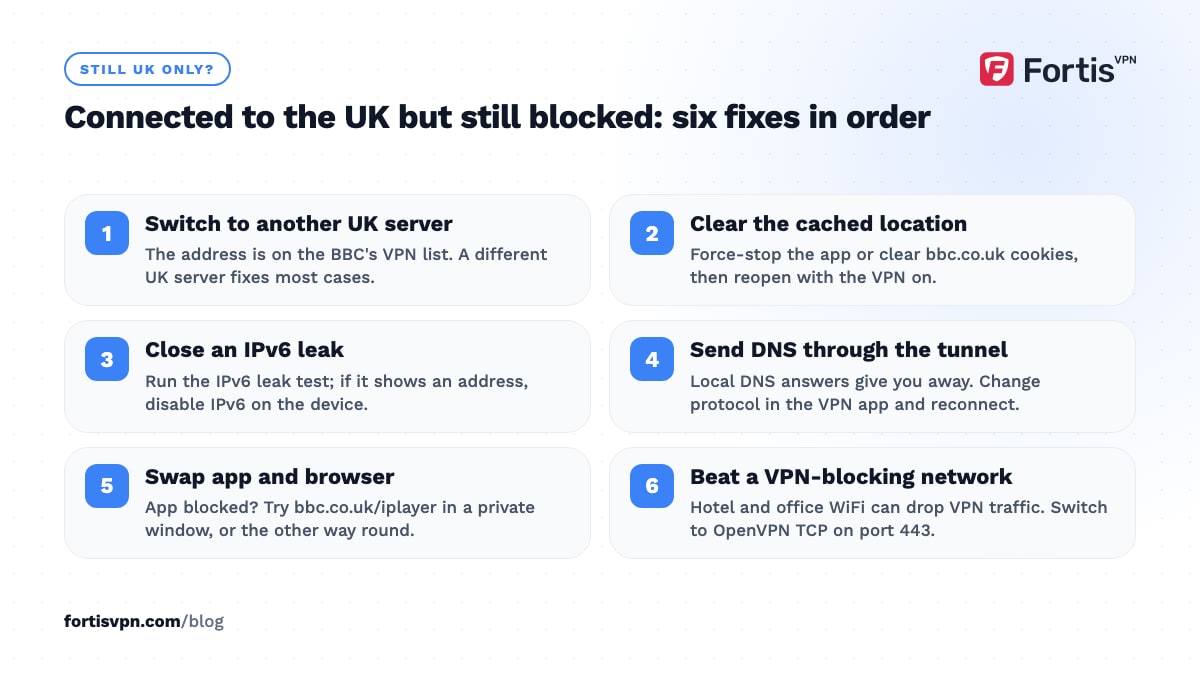
- The address is on the BBC's VPN list. Switch to another UK server. This fixes most cases.
- A cached location. Force-stop the app or clear bbc.co.uk cookies, then reopen with the VPN connected.
- An IPv6 leak. If your network has IPv6, the BBC may see your real address beside the VPN's. Run the IPv6 leak test and disable IPv6 on the device if it shows one.
- A DNS leak. DNS lookups answered by a local ISP give you away. Change protocol in the VPN app and reconnect so DNS goes through the tunnel.
- App versus browser. If the app is blocked, try bbc.co.uk/iplayer in a private window, or the other way round.
- A network that blocks VPNs. Hotel and office WiFi sometimes drop VPN traffic. Switch to OpenVPN TCP on port 443, which looks like ordinary HTTPS.
If none of that works, the streaming service detects VPN page has the longer checklist, and support can point you to a UK server that currently works.
Download programmes before you travel
The BBC's own answer to watching abroad is downloads. In the iPlayer app on a phone or tablet, most programmes have a Download button, and the BBC has said downloads made in the UK can be watched anywhere in the world. The desktop download app closed in 2024, so a laptop can only stream.
Downloads expire. The BBC's published rule has been 30 days to start a downloaded programme and 7 days to finish it once you press play, though some programmes have shorter windows tied to their rights. The app shows the expiry on each download, so check it before a long trip and download the last episodes as late as possible. Downloads play with the VPN off, so this is the one method the BBC's terms are happy with.
Is it legal to watch BBC iPlayer abroad?
There are two separate questions. The TV Licence is a legal requirement: in the UK you need one to use iPlayer, and the requirement attaches to your UK address. Watching from abroad through a VPN is a terms-of-use matter rather than a criminal one; the BBC says it breaks its terms, and its remedy is to block the address. Using a VPN is legal in most countries, though some, including the UAE, only permit it for lawful purposes; our UAE VPN law guide explains that case. This article is general information, not legal advice.
One related change caught people out in 2025: BBC Sounds became UK-only on 21 July 2025. UK listeners keep the Sounds app on trips of up to a month; after that it applies the same UK check as iPlayer. Radio 4 and World Service English stream on BBC.com abroad, and podcasts remain on third-party platforms. Streaming while travelling covers how the other UK services behave abroad.
Watching BBC iPlayer abroad with FortisVPN
FortisVPN has UK servers on the server list, with WireGuard for speed and OpenVPN TCP on port 443 for hotel and office networks that block VPNs. Connect to a server in the right country; if iPlayer still detects a VPN, switch to another server in that country or ask support for one that currently works. Live chat runs 24/7.
For a TV, the Fire TV app and the Android TV app both support auto-connect and split tunnelling, so iPlayer stays on the UK tunnel while local apps use your normal connection. One account covers 10 devices. Every plan has a 7-day free trial, card required and nothing charged today, so you can start a 7-day free trial the week you travel and cancel before day 7 if you do not need it.
Frequently asked questions
Do I need a TV Licence to watch iPlayer abroad?
You need a TV Licence to use iPlayer at all, and the BBC asks you to confirm you have one. The licence is tied to a UK address, so the honest position for someone living abroad with no UK home is that iPlayer is not available to them. Travellers with a licensed UK home are covered on their own unplugged devices.
Can I watch BBC iPlayer abroad on a smart TV?
On Android TV, Google TV and Fire TV, yes: install the VPN app on the TV, connect to a UK server, then open iPlayer. Samsung, LG and other TVs cannot run VPN apps, so plug in a Fire TV Stick or Google TV device, or run the VPN on your router. The TV's store must also list the iPlayer app, which depends on the account country.
Can I download iPlayer shows and watch them abroad?
Yes. Downloads in the phone and tablet app play anywhere with no VPN, and the BBC has said downloads made in the UK can be watched abroad. Each download has an expiry, typically 30 days with 7 days to finish once started, and the app shows the date. Laptops cannot download since the desktop app closed in 2024.
Does iPlayer work with a VPN on a Fire TV Stick?
It can. Install the VPN app from the Amazon Appstore, connect to a UK server, then open iPlayer. The iPlayer app is listed in Amazon's UK store, so a stick registered to a non-UK Amazon account may need its country changed first. As with every device, the BBC may block a given server, so be ready to switch.
Can I watch BBC iPlayer in Dubai?
Technically it works the same way as anywhere else: a UK server, a BBC account and a TV Licence. VPN use is legal in the UAE for lawful purposes; the offence is using one to commit a crime or reach content the UAE prohibits. The BBC's terms still limit iPlayer to the UK, so treat it as a terms question and read the UAE guide first.
Last updated: 12 October 2026