Can You Be Tracked While Using a VPN?
Can you be tracked with a VPN? Yes, through logins, cookies, fingerprinting, leaks, logs and payments. Here is who sees what and how to close each gap.
Yes, you can still be tracked with a VPN, but it takes more than your IP address. A VPN hides your real IP from the websites you visit and encrypts your traffic so your ISP and the WiFi owner cannot read it. It does not log you out of Google, delete cookies, or change the fingerprint your browser leaves behind. Who can track you depends on what they already know about you and where they sit on the connection.
- A VPN hides your IP and encrypts traffic; it does not make you anonymous.
- Logged-in accounts, cookies and browser fingerprints identify you regardless of IP.
- Police can only get what your VPN provider stores; a no-logs provider stores nothing useful.
- Leaks, malware and payment records are the usual ways a VPN user is traced.
Who can see what when you use a VPN?
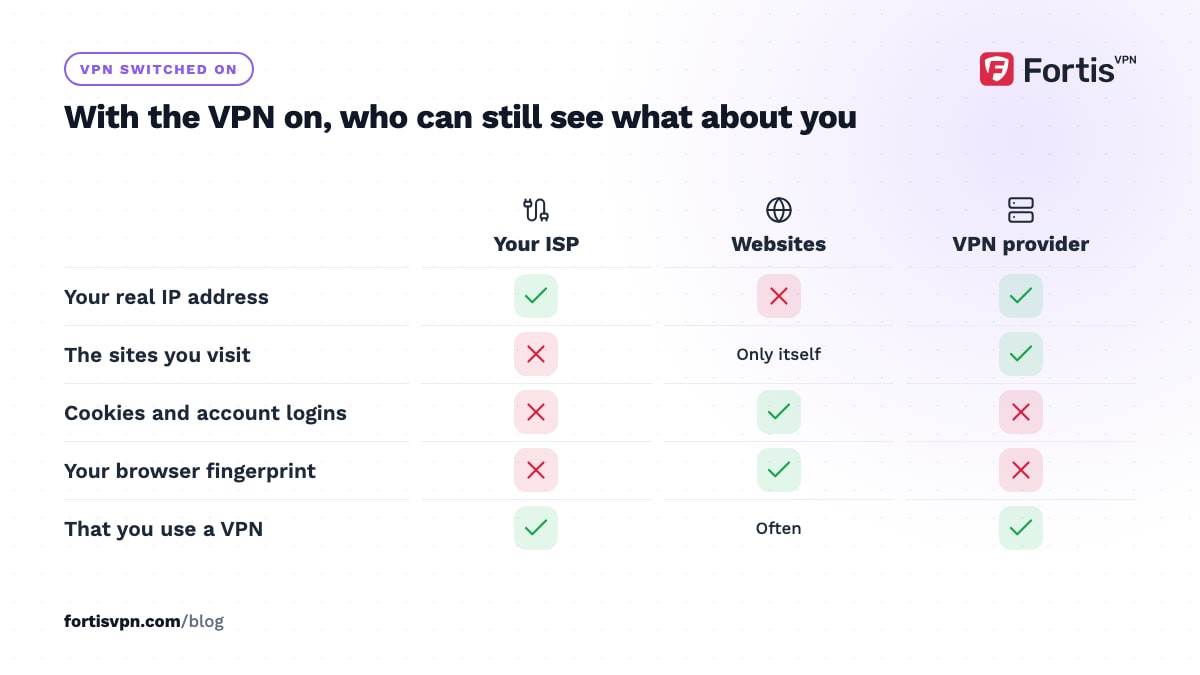
A VPN moves your trust from several parties to one. Here is what each observer sees before and after you connect.
| Observer | Without a VPN | With a VPN |
|---|---|---|
| Your ISP | Every domain you visit, when, and how much data | Only that you are connected to a VPN server, and how much data |
| The WiFi owner (home, hotel, office, school) | Domains, timing, device name | One encrypted connection to a VPN IP |
| Websites you visit | Your real IP and location, plus cookies and fingerprint | The VPN server's IP, plus the same cookies and fingerprint |
| Advertisers and trackers | IP, cookies, fingerprint, account logins | Cookies, fingerprint and logins; the IP is now the VPN's |
| Your VPN provider | Nothing | Your real IP and the domains you connect to, unless it keeps no logs |
| Police or government | Whatever your ISP and websites hand over | Whatever your VPN provider and websites hand over |
Read that last row twice. A VPN does not remove you from the picture. It changes which company holds the picture, which is why the no-logs policy matters more than any other feature. The full list of what a VPN does and does not cover is in what does a VPN hide.
6 ways you can still be tracked with a VPN
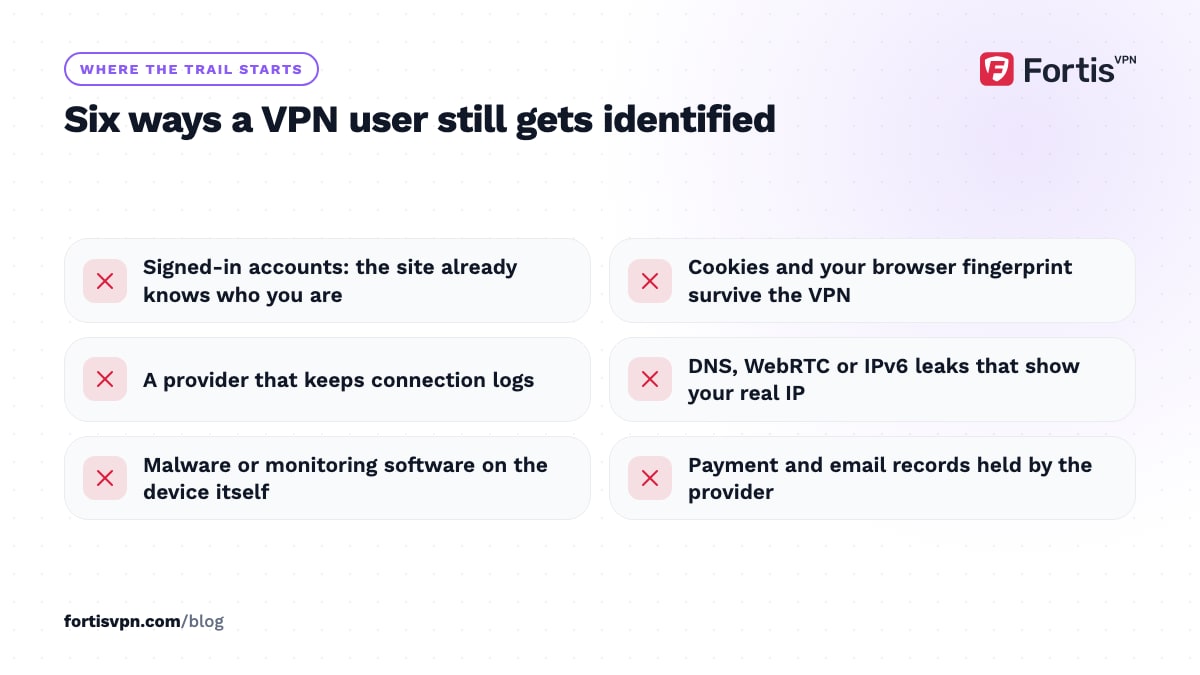
People identified while using a VPN are rarely caught by someone breaking the encryption. They are caught by one of these.
- Logged-in accounts. If you are signed in to Google, Facebook or Amazon, that company knows who you are. The VPN only changes the IP shown next to your name.
- Cookies and browser fingerprinting. Cookies survive a VPN connection. So does your browser fingerprint: screen size, fonts, time zone, language, graphics card and dozens of other details that together identify your browser with no IP at all. You can see how unique yours is with the EFF's Cover Your Tracks tool.
- VPN provider logs. A provider that records your real IP and connection times can link a VPN IP back to you. That is the one record a court order can target.
- DNS, WebRTC and IPv6 leaks. A misconfigured device can send DNS lookups to your ISP, or expose your real IP through the browser's WebRTC feature, while the VPN says connected. A DNS leak shows your ISP every domain; a WebRTC leak shows websites your real IP. Our WebRTC leak test checks the second one in seconds.
- Malware and spyware on the device. Anything running on your phone or laptop sees your activity before it reaches the VPN tunnel. Stalkerware, a compromised browser extension or a company monitoring agent all work regardless of the VPN.
- The payment and email trail. A VPN account bought with your card and your main email address is linked to you by the provider's billing records, even if the provider logs nothing about your traffic. That is harmless for everyday privacy; it matters only if the provider itself must not know who you are.
Can police or the government track a VPN user?
Sometimes, and it depends almost entirely on logs. Police cannot read VPN-encrypted traffic in transit. What they can do is ask, or legally compel, the VPN provider to hand over records showing which customer used a given IP at a given time. If the provider keeps no connection logs, there is nothing to hand over. If it does, the trail leads back to your account and your payment details.
There are two other routes. The first is the websites themselves: if you were logged in, or left a recognisable fingerprint, the site's own records identify you without touching the VPN. The second is traffic correlation, where an agency that can watch both your ISP connection and the VPN server's outgoing traffic matches the timing and size of packets. That is expensive and targeted, not something done to ordinary users.
In practice, VPN users who end up identified are usually traced through an email address, a reused username, a payment, or a device seized with evidence on it. The VPN was rarely the weak point.
Can your ISP see you are using a VPN?
Yes. Your ISP can see that your device is sending encrypted traffic to an IP address that belongs to a VPN provider, how much data you move, and for how long. It cannot see the websites inside that tunnel, your searches, or what you download. Without a VPN, the same ISP sees every domain you visit through your DNS lookups and the server name on each HTTPS connection.
Knowing that you use a VPN is not the same as tracking what you do. In most countries, using a VPN is legal and your ISP has no reason to care. If you are on a network that blocks VPNs, or in a country that discourages them, an obfuscated server or the OpenVPN TCP protocol on port 443 makes the VPN traffic look like ordinary HTTPS.
Can websites tell you are using a VPN?
Often, yes. VPN server IPs are shared by many users and belong to data centres, so streaming services, banks and some shops keep lists of them. Detecting a VPN tells the site only that your IP is a VPN; it does not reveal who you are or where you really are. Treat a "VPN detected" message as a block, not a breach. Switching to another server in the same country usually clears it.
The exception is when you log in. The moment you sign in, the site knows your identity and sees your VPN IP next to it. Blocking and identification are two separate things, and a VPN only protects against the second if you stay signed out.
How to make tracking much harder
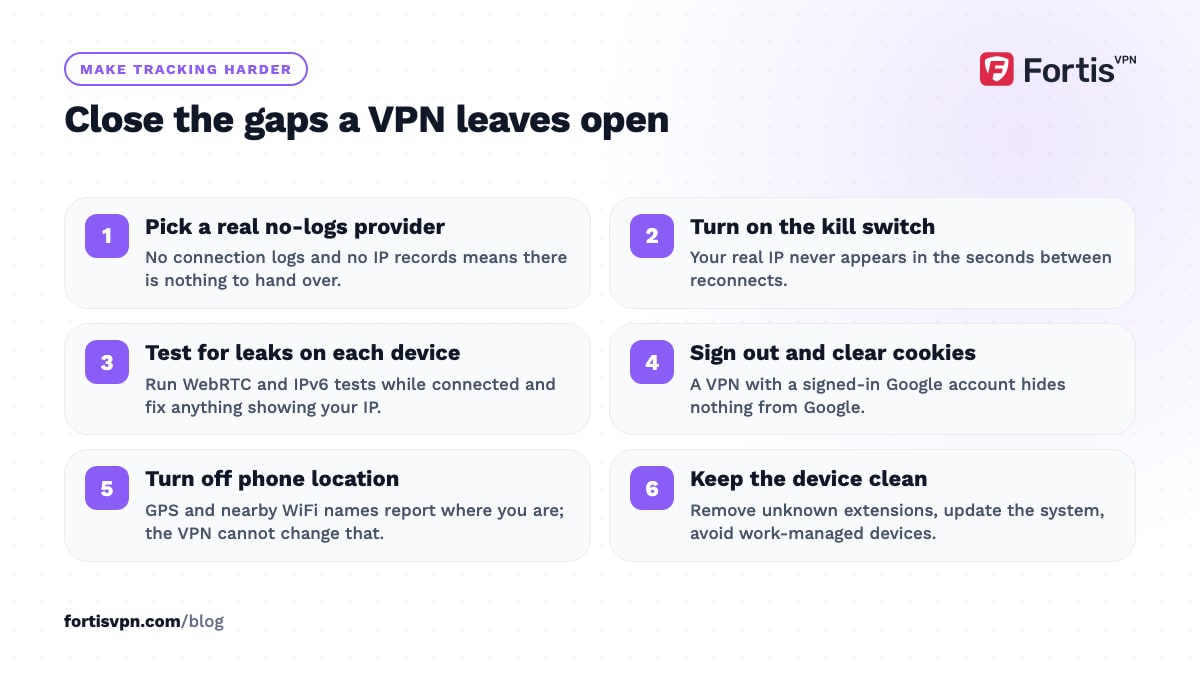
None of these steps makes you untraceable. Together, they close every common gap and leave only the targeted, expensive methods.
- Pick a provider with a real no-logs policy. Read the privacy policy for the words "connection logs" and "IP address". If it keeps either, every other step is weakened.
- Turn on the kill switch. A kill switch cuts your internet if the VPN drops, so your real IP never appears for a few seconds between reconnects.
- Test for leaks once per device. Run the WebRTC and IPv6 tests while connected, and fix anything that shows your real IP using our leak troubleshooting guide.
- Sign out and clear cookies for the sites you want privacy from. A VPN with a logged-in Google account hides nothing from Google. Use a separate browser profile or incognito mode alongside the VPN for sensitive sessions.
- Turn off location services on your phone. Apps with location permission use GPS and nearby WiFi names, not your IP, so the VPN cannot change what they report.
- Keep the device clean. Remove extensions you do not recognise, keep the operating system updated, and do not use a work-managed device for private browsing.
- Use Tor for high-stakes anonymity. If your safety depends on nobody linking you to an activity, a VPN is the wrong tool. Read VPN vs Tor to understand the difference.
How FortisVPN limits what can be tracked
FortisVPN keeps no activity logs and no connection logs, so there is no record of your real IP or the sites you visited to hand over or to leak. The apps use WireGuard (ChaCha20-Poly1305) or OpenVPN (AES-256-GCM) encryption, and the Windows app has a kill switch under Settings that you can pair with launch-at-startup so the tunnel is up before any browser opens; the steps are in the kill switch guide. DNS requests travel inside the tunnel, and the connection-level tracker blocker stops many advertising trackers from loading at all. Every plan includes a 7-day free trial with a card on file and nothing charged today. Start the free trial, then run the leak tests on each device you connect.
This article is general information, not legal advice.
Frequently asked questions
Can my employer see my VPN traffic?
On a company-owned laptop or phone, yes: monitoring software runs on the device and sees your activity before the VPN encrypts it, and many company VPNs route everything through the office anyway. On your own device on the office WiFi, the network team can see that you connected to a VPN and how much data you used, but not the sites inside.
Can a VPN provider see what I do online?
Technically it can see the same things your ISP could: your real IP and the domains or IPs you connect to, but not the content of HTTPS pages. Whether it records any of that is the question. A provider with a no-logs policy discards the data as it passes; one that logs can tie your account to your browsing.
Does a VPN hide my location from Google?
Only partly. In a browser where you are signed out with location access denied, Google sees the VPN server's location. On a phone, Google apps with location permission use GPS, nearby WiFi and cell towers, which the VPN cannot change. And if you are signed in, your account history already describes where you live.
Can you be tracked through a free VPN?
More often than through a paid one. Free apps need income, and a common model is logging browsing data and selling it to advertisers or data brokers, which is tracking by definition. Independent research on free Android VPN apps has repeatedly found some that leak real IPs or skip encryption. If a VPN costs nothing, assume your browsing is the product.
Does a VPN make you untraceable?
No. A VPN makes you harder to trace by removing your IP from the picture and encrypting traffic on the way to the server. It cannot undo a login, a cookie, a fingerprint, a leak, or a provider that keeps logs. For most people that is more than enough privacy; for someone whose safety depends on anonymity, it is one layer, not the whole answer.
Last updated: 17 October 2026