VPN Protocols Explained: WireGuard, OpenVPN, and IKEv2
VPN protocols explained: what WireGuard, OpenVPN (UDP and TCP) and IKEv2 do, which is fastest and most secure, and which one to pick in your VPN app.
A VPN protocol is the set of rules your VPN app and the server follow to build the encrypted tunnel: how they prove who they are, which cipher scrambles the data and how the packets travel across the internet. The three VPN protocols worth using in 2026 are WireGuard, OpenVPN and IKEv2/IPsec. For most people the right choice is the app's Auto setting, which tries the fastest protocol first and falls back when a network blocks it.
- Auto is the right setting for most people; change it only when you have a specific problem.
- WireGuard is the fastest and lightest on battery; OpenVPN is the most widely trusted and flexible.
- OpenVPN over TCP on port 443 gets through networks that block VPNs because it looks like HTTPS.
- PPTP is broken and L2TP/IPsec is slow; avoid both unless an old router leaves you no choice.
What does a VPN protocol actually do?
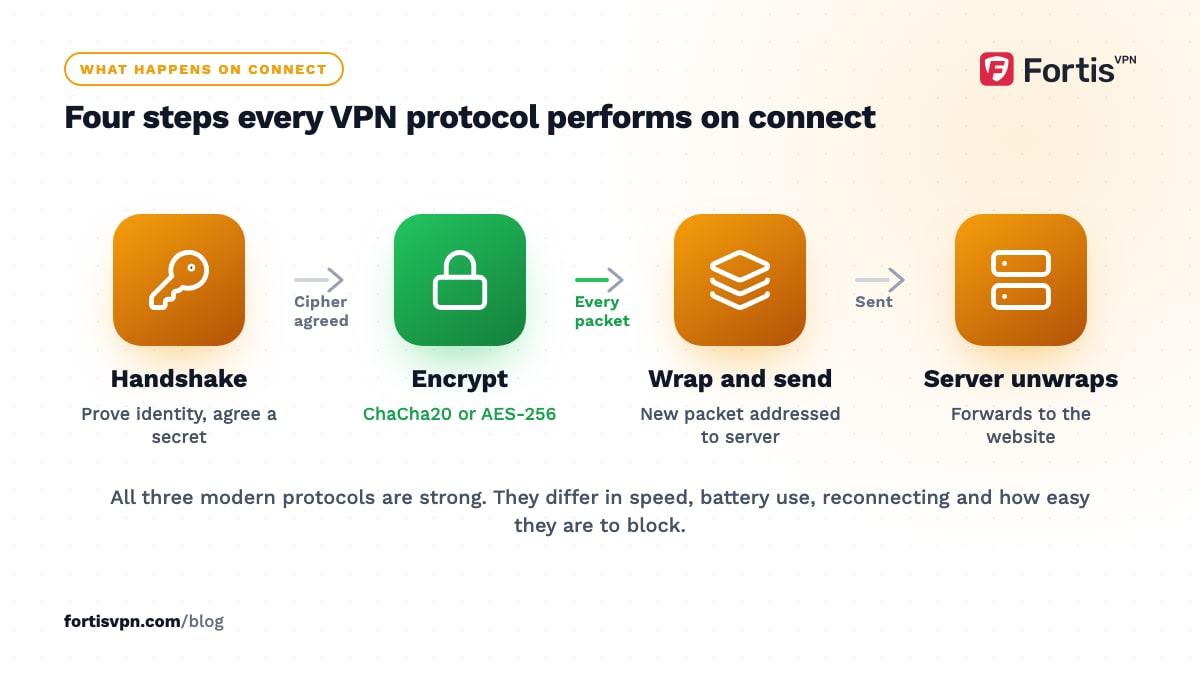
When you press connect, the app and the server go through a handshake. They check each other's identity, agree on a shared secret and pick a cipher. From then on, every packet from your device is encrypted, wrapped inside a new packet addressed to the VPN server, and sent out. The server unwraps it and forwards it to the website. The protocol defines each of those steps.
The protocol also decides the practical things you notice: how fast the tunnel is, how much battery it uses, whether it survives a change from WiFi to mobile data, and whether it can get past a firewall that blocks VPN traffic.
Protocol and encryption are not the same thing. The protocol chooses the cipher: WireGuard always uses ChaCha20-Poly1305, OpenVPN in a modern setup uses AES-256-GCM, and IKEv2/IPsec usually uses AES-GCM too. All three are strong. The real differences between modern protocols are speed, reliability and how blockable they are, not whether someone can break the encryption.
WireGuard: the fastest modern protocol
WireGuard is the newest of the three. It was designed from scratch with a small, fixed set of modern cryptography and roughly 4,000 lines of code, and it became part of the Linux kernel in version 5.6 in March 2020. Less code means fewer places for bugs to hide and less work per packet, which is why it is both the fastest and the easiest on your battery.
It runs over UDP only, reconnects almost instantly after a dropped connection and copes well when your phone moves between networks. Its weaknesses are the flip side of its design: because it uses only UDP, a firewall that blocks UDP blocks WireGuard, and the protocol itself has no built-in way to disguise what it is.
Two existing guides cover it in depth, so this article will not repeat them: WireGuard protocol explained and WireGuard vs OpenVPN.
OpenVPN: UDP vs TCP, and why port 443 matters
OpenVPN has been open source since 2001 and has had more than two decades of public scrutiny. It builds its tunnel on TLS, the same technology that secures HTTPS, and typically encrypts with AES-256-GCM. It is slower than WireGuard because it does more work per packet and usually runs outside the operating system kernel, but on a decent connection the gap is modest.
OpenVPN can run over two transports:
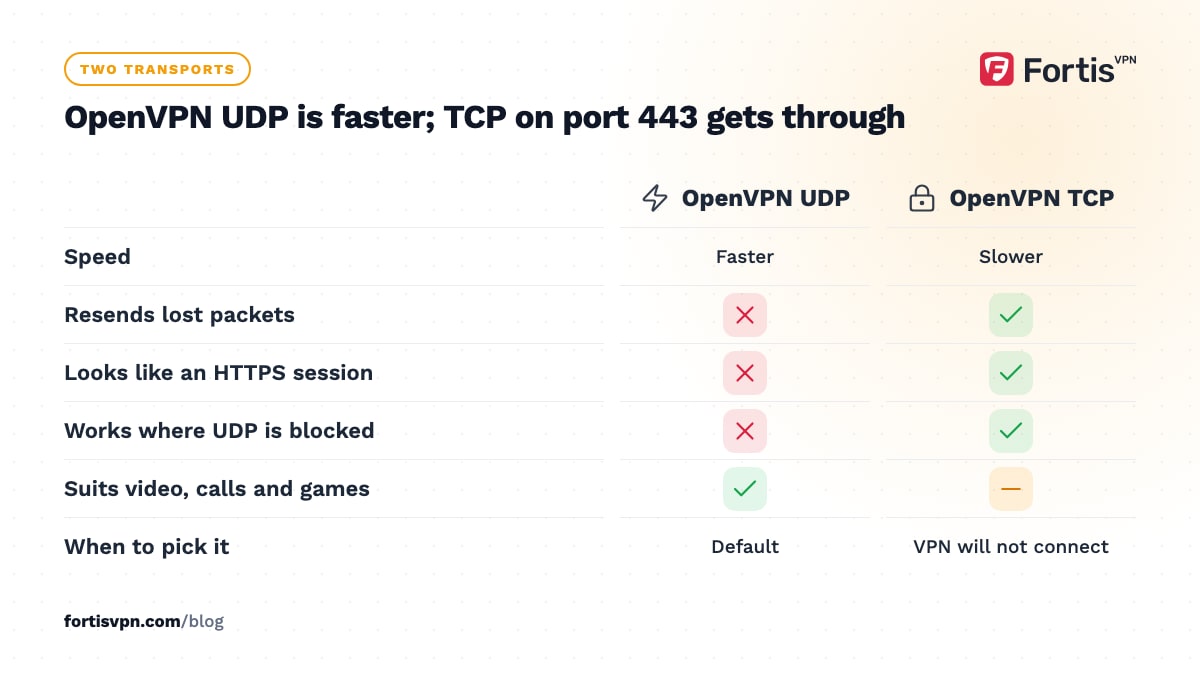
- UDP. The default and the faster choice. Packets are sent without waiting for acknowledgements, which suits video, calls and games.
- TCP. Every packet is acknowledged and resent if lost. It is slower, and carrying TCP traffic inside a TCP tunnel can stall under packet loss, but it works on networks where UDP is blocked.
Port 443 is the port HTTPS uses. OpenVPN over TCP on port 443 produces traffic that looks like a long HTTPS session, so hotel, office, school and some national firewalls let it through when they block everything else. That is the setting to try first on a network where the VPN will not connect.
IKEv2/IPsec: best for switching between WiFi and mobile
IKEv2 is the key exchange protocol and IPsec is the part that encrypts and carries the packets; together they form one VPN protocol. It is built into Windows, iPhone, iPad and Mac without any extra software, which is why many work VPNs use it.
Its standout feature is MOBIKE, an extension that lets the tunnel survive an IP address change. When your phone leaves the house WiFi and switches to mobile data, an IKEv2 connection continues without a full reconnect. WireGuard handles this well too; OpenVPN has to reconnect.
IKEv2 uses UDP ports 500 and 4500, which makes it easy for a network to block, and it depends on NAT traversal to cross a home router. Most routers handle this without any setting, but a few need the IPsec option covered in our VPN passthrough guide.
Older VPN protocols you should avoid
You will still see these in router menus and older apps. None of them is a good choice in 2026.
- PPTP. From the late 1990s. Its MS-CHAPv2 authentication was shown to be crackable in 2012, and Apple removed PPTP from iPhone and Mac in 2016. Treat PPTP traffic as unencrypted.
- L2TP/IPsec. Secure when set up with strong keys, but it wraps the data twice, so it is slower than everything above, and it uses UDP ports that firewalls block without a second thought. There is no reason to pick it over IKEv2.
- SSTP. A Microsoft protocol that tunnels over TCP port 443. It gets through firewalls, but it is tied to Windows and is not open source, so OpenVPN TCP does the same job with more scrutiny.
VPN protocol comparison: speed, security and battery
| Protocol | Speed | Security | Battery use | Gets through restrictive networks | Reconnects when switching networks |
|---|---|---|---|---|---|
| WireGuard | Fastest | Strong (ChaCha20-Poly1305) | Lowest | Poor (UDP only, easy to spot) | Excellent |
| OpenVPN UDP | Good | Strong (AES-256-GCM) | Moderate | Fair | Needs a reconnect |
| OpenVPN TCP 443 | Slower | Strong (AES-256-GCM) | Moderate | Best | Needs a reconnect |
| IKEv2/IPsec | Good | Strong (AES-GCM) | Low | Poor (UDP 500 and 4500 are easy to block) | Excellent (MOBIKE) |
| L2TP/IPsec | Slow | Acceptable with strong keys | Higher | Poor | Needs a reconnect |
| PPTP | Fast | Broken | Low | Poor | Needs a reconnect |
Which VPN protocol should you use?
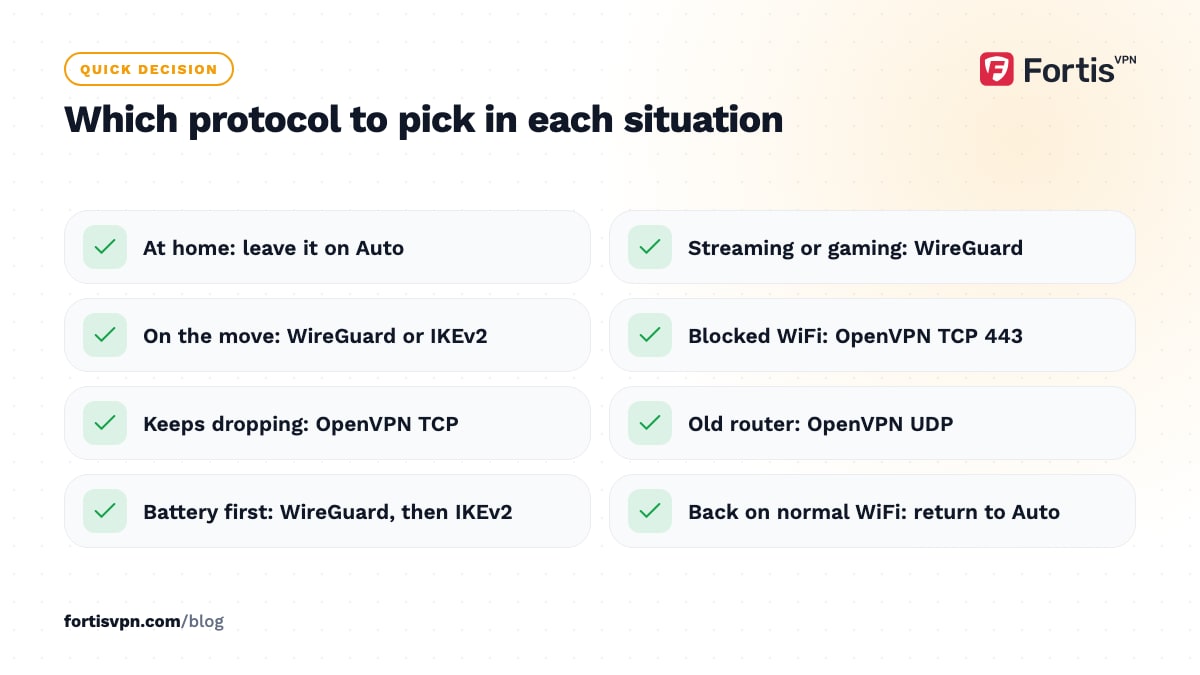
Match the protocol to the situation rather than looking for one winner:
- Everyday use at home. Leave it on Auto. The app picks WireGuard when it can and changes protocol only when the connection fails.
- Streaming, large downloads or gaming. WireGuard, on the nearest server in the country you need.
- Phone on the move. WireGuard or IKEv2, both of which survive the hop from WiFi to mobile data.
- Hotel, office, school or airport WiFi that refuses to connect. OpenVPN TCP on port 443. If even that fails, use an obfuscated server.
- A connection that keeps dropping on poor WiFi. OpenVPN TCP. It is slower but resends lost packets instead of giving up.
- An old router or firmware with no WireGuard support. OpenVPN UDP.
- Battery is the priority. WireGuard, then IKEv2.
Whatever you choose, the server matters as much as the protocol. A fast protocol on a server on the other side of the world will still feel slow.
Changing the protocol in FortisVPN
Every FortisVPN app offers Auto, WireGuard, OpenVPN UDP and OpenVPN TCP on port 443 under Settings, and Auto is the recommended choice. To switch, disconnect, open Settings, choose the protocol and connect again. The steps are the same on Windows, Android, Android TV and Fire TV; the Windows guide and the Android guide show the exact screens. The server list shows which protocols each location supports, including IKEv2 on the platforms that offer it. WireGuard connections use ChaCha20-Poly1305 and OpenVPN connections use AES-256-GCM. If you want to compare protocols on your own network, start a 7-day free trial, try each one on the same server, and keep the one that wins.
Frequently asked questions
Which VPN protocol is the fastest?
WireGuard, in almost every real-world comparison. It does less work per packet, can run inside the operating system kernel and uses a cipher that is quick on phone processors. IKEv2 and OpenVPN UDP come next, OpenVPN TCP is slower, and L2TP/IPsec is the slowest of the protocols still in use.
Which VPN protocol is the most secure?
WireGuard, OpenVPN and IKEv2/IPsec are all secure when they use modern ciphers, and none has a known practical break. OpenVPN has the longest record of public review. WireGuard has the smallest amount of code to audit. The only clear answers are the negative ones: PPTP is broken, and L2TP/IPsec with a weak shared key is not safe.
Is WireGuard better than OpenVPN?
For speed, battery and reconnecting, yes. For getting through a firewall that blocks UDP, no, because WireGuard has no TCP mode. Security is equivalent for everyday use. Most apps resolve this for you: Auto prefers WireGuard and switches to OpenVPN when a network blocks it, which is why the setting exists.
Should I use UDP or TCP for my VPN?
UDP unless it does not work. It is faster and better for video calls, streaming and games. Switch to TCP on port 443 when the VPN will not connect on a hotel, school or office network, or when a flaky connection keeps dropping. TCP costs some speed but is far more likely to get through.
Why does my VPN keep switching protocol?
Because it is set to Auto and your network is blocking or throttling the first choice. The app tries WireGuard, fails or times out, then falls back to OpenVPN, and repeats this each time you reconnect. Pick OpenVPN TCP 443 manually to stop the switching on that network, then return to Auto when you are back on a normal connection.
Last updated: 18 October 2026