Should You Leave Your VPN On All the Time?
Should you leave your VPN on all the time? For most people, yes. What you gain, the 6 times to turn it off, and how to set it and forget it on every device.
For most people, yes: you should leave your VPN on all the time. It costs a little speed and battery; in return your ISP, the WiFi owner and every website stop seeing your real IP and traffic. The exceptions are short: a banking app that refuses foreign IPs, a delivery app that needs your real location, a printer on the home network, or a site that blocks VPNs. Turn it off for those, then turn it back on.
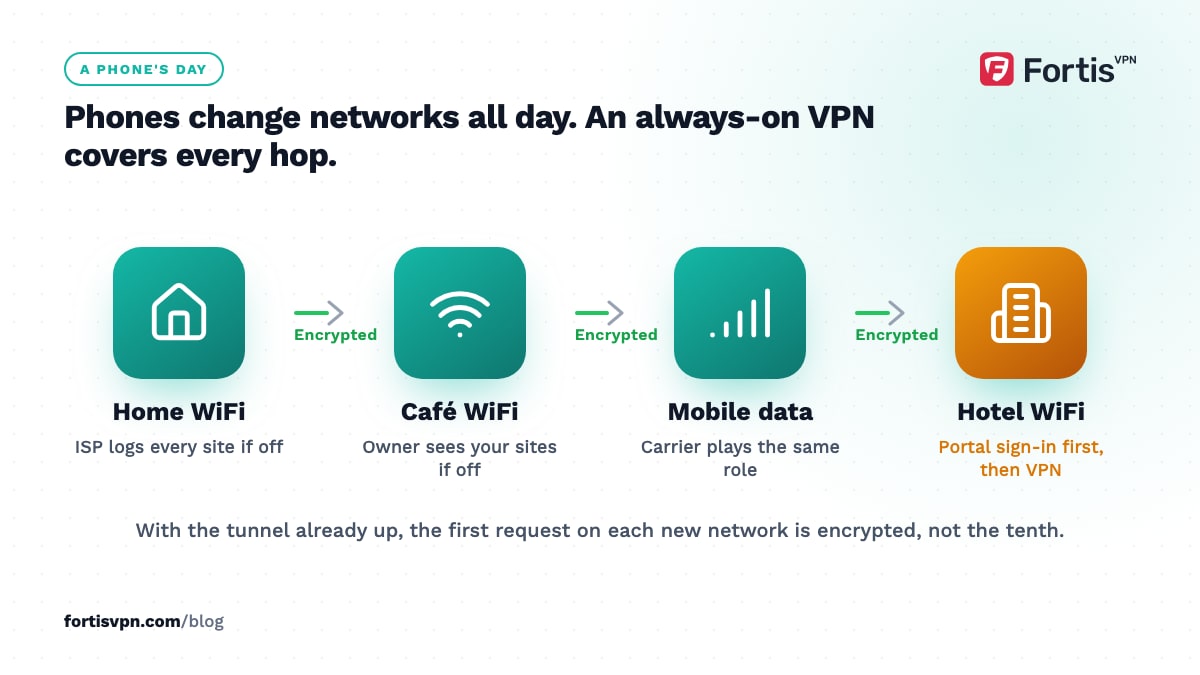
- Always-on protection matters most on phones, which hop between WiFi networks all day.
- Turn it off, or use split tunnelling, for apps that need your real location or your local network.
- The kill switch is what makes "always on" safe; without it, drops leak your real IP.
- Auto-connect, launch-at-startup and Android's Always-on VPN setting remove the need to remember.
What you gain by leaving your VPN on
The benefit of a VPN is not a one-off event. It is the absence of a record, and records build up during the minutes you forget to connect.
- Your ISP stops building a browsing profile. Every site you visit with the VPN off is one more line in your ISP's logs, which in some countries can be retained or shared.
- Public and shared WiFi is covered by default. Your phone joins café, hotel and airport networks on its own. If the VPN is already on, the first request is encrypted, not the tenth.
- Apps leak less in the background. Phones send traffic constantly, even locked. An always-on tunnel covers those requests as well as the ones you make on purpose.
- Trackers see one IP shared by many users. Advertising networks use your IP as one of several signals; a VPN that stays on gives them a shared, changing one.
- Throttling by content type stops working. If your ISP slows video or game traffic, it needs to see the traffic to classify it. Inside the tunnel it cannot, which is why some people see faster streaming with a VPN.
- You stop forgetting. The practical gain. A VPN you switch on "when it matters" is off during the moment you did not expect to matter.
When should you turn your VPN off?
These are the cases where an always-on VPN gets in the way. Each one is temporary, and most can be handled with split tunnelling instead of disconnecting.
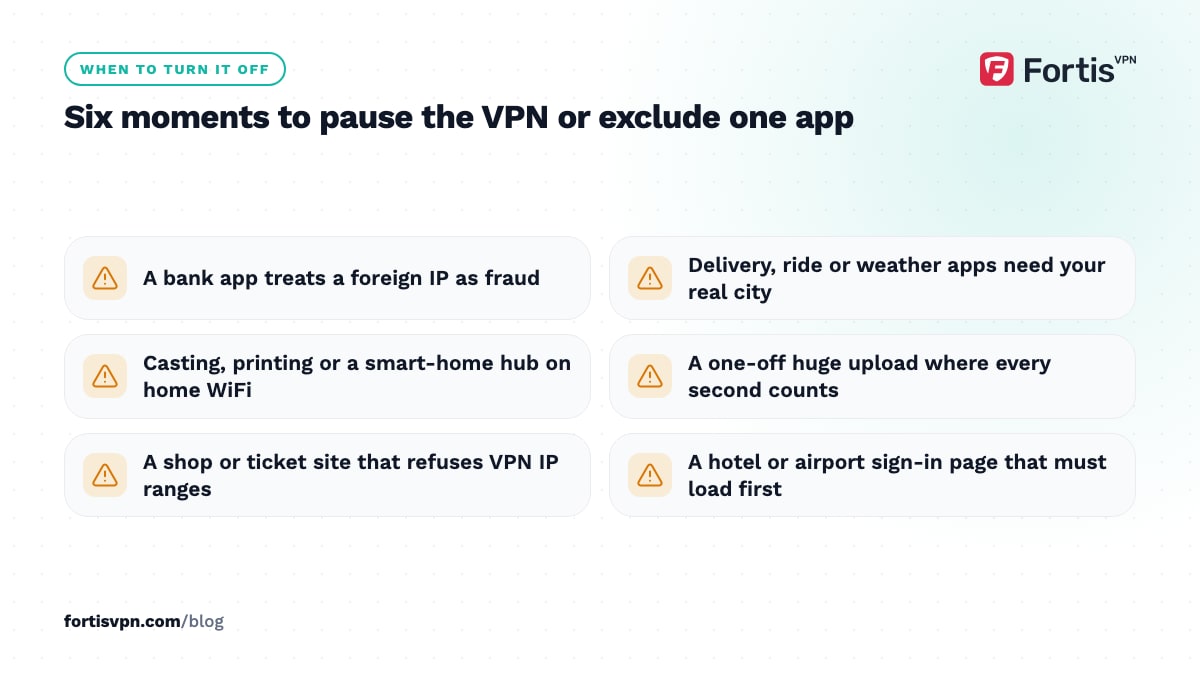
- Banking and payment apps that check location. Some banks flag a login from an unexpected country as fraud and lock the account or ask for extra verification. Connect to a server in your own country, or exclude the banking app with split tunnelling.
- Local services. Food delivery, ride-hailing, weather and local news use your IP to guess your area when GPS is off. A server abroad gives them the wrong city.
- Casting, printers and smart-home hubs. Casting to a TV, printing over WiFi, or controlling a hub from the same network often fails while the VPN is on, because your device now looks like it is outside the home network. Split tunnelling for that one app fixes it.
- Big uploads where every second counts. A VPN adds a small overhead and a detour through the server. For a one-off 50 GB backup, pausing it is reasonable.
- Sites and services that block VPN IPs. Some shops, ticketing sites and streaming services refuse known VPN ranges. Try another server first; if nothing works, exclude that app or disconnect briefly.
- Captive portals. Hotel and airport WiFi often needs a sign-in page before it allows traffic. The portal cannot load through the tunnel, so sign in first, then connect the VPN.
Does leaving a VPN on hurt battery, data or speed?
A little of each, and less than most people expect. Encryption adds a small amount of extra data per packet, a few percent in normal use, and the processor work to encrypt it uses some battery on a phone. Speed drops by whatever distance you add: a server in your own country costs little, one on another continent costs more. WireGuard, which most modern apps offer, is the lightest option on all three counts.
The exact numbers depend on your phone, protocol and server, so test on your own setup rather than trusting a headline figure. Our guide on VPN data and battery use explains what to expect and how to reduce it. If the VPN is noticeably slow on a nearby server, that is a sign to switch server or protocol, not a reason to leave it off.
Use split tunnelling instead of turning it off
Split tunnelling lets you choose which apps go through the VPN and which use your normal connection. That solves nearly every "turn it off" case without turning it off: your bank app and your printer app use the local connection, while the browser, email and everything else stay in the tunnel.
In the FortisVPN apps for Windows, Android, Android TV and Fire TV, split tunnelling is in the app's settings, where you pick the apps to exclude. On a TV, the common use is to keep a local catch-up app on your real connection while the rest of the TV stays protected. The full explanation, including the variants other apps offer, is in what is split tunnelling.
Set it and forget it: auto-connect, kill switch and Always-on VPN
An always-on VPN only works if it survives reboots, sleep and network changes without you touching it. Three settings do that.
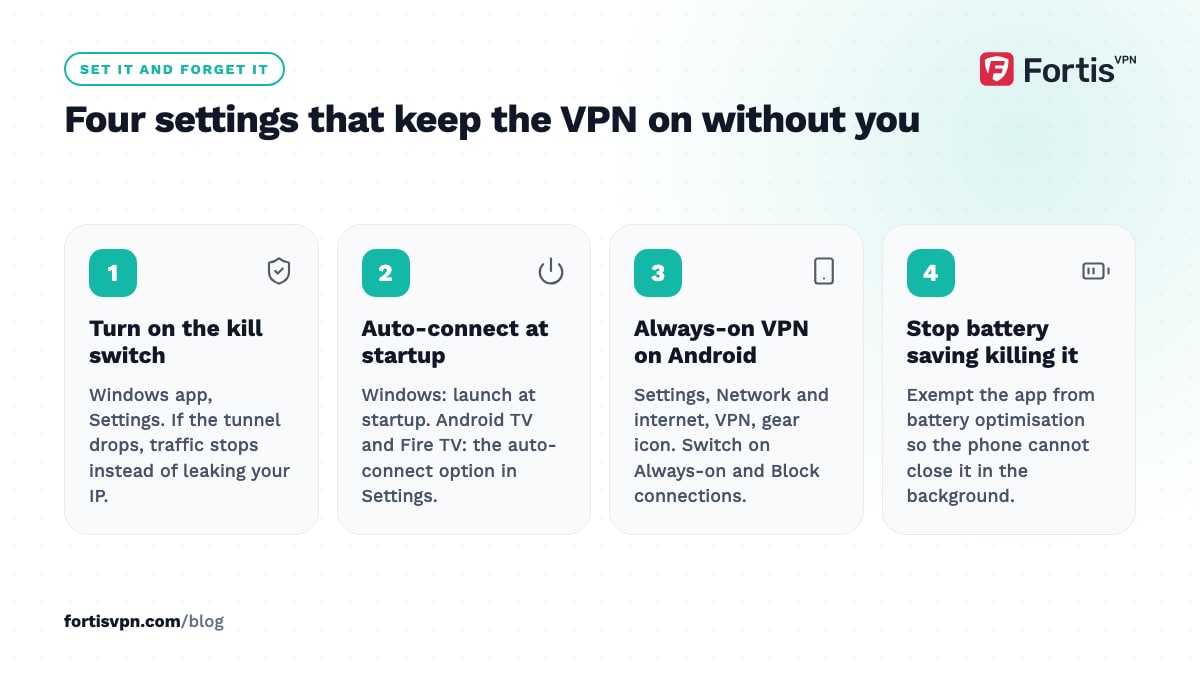
- Kill switch. When the tunnel drops, the kill switch blocks all traffic until it is back, so "always on" fails safe instead of quietly leaking your real IP. Without it, every reconnect is a few seconds of exposure. See what a VPN kill switch is. In the FortisVPN Windows app it lives under Settings next to launch-at-startup.
- Launch at startup and auto-connect. On Windows, start the app with the system so the tunnel is up before your browser. On Android TV and Fire TV, the FortisVPN apps have an auto-connect option so the tunnel comes up without you pressing connect; the steps are in the auto-connect guide.
- Android's system Always-on VPN. Android itself can keep a VPN app connected and, with "Block connections without VPN", refuse any traffic outside it. On most phones, open Settings, then Network and internet, then VPN, tap the gear icon next to the VPN app and switch both on. Menu names vary by manufacturer; Google's Android VPN help page covers the stock layout. If the switch is missing, the app does not support the system toggle; use its own auto-connect setting instead. The block option stops excluded apps from reaching the internet, so it does not mix with split tunnelling; use one or the other.
Phone vs laptop vs TV: what changes
| Device | Leave it on? | Watch out for |
|---|---|---|
| Phone | Yes, always; it changes networks most | Battery optimisation killing the app, local apps needing your real location, captive portals |
| Laptop (Windows) | Yes, with launch-at-startup and kill switch | Printers and network drives on the LAN, work VPN conflicts, a firewall blocking the adapter |
| Android TV or Fire TV | Yes, with auto-connect | Streaming apps that block VPN IPs, casting from phones on the same WiFi, local catch-up apps |
| Router | Yes, if you run it there | Every device shares one server and protocol, and you cannot turn it off per device |
The phone is the device that benefits most from an always-on VPN and the one most likely to switch it off on its own. Android battery optimisation and some manufacturers' "sleeping apps" lists can close the VPN app in the background. If yours keeps dropping, exempt the app from battery optimisation and read why a VPN keeps disconnecting. At home, the case for always-on is weaker than on the move but still real; our guide on whether you need a VPN at home weighs it up.
Keeping FortisVPN on across your devices
FortisVPN is built to stay on. The Windows app combines a kill switch with launch-at-startup under Settings, so the tunnel is up before your browser opens and traffic stops if it ever drops. The Android TV and Fire TV apps have an auto-connect option, so the TV connects without you reaching for the remote. Split tunnelling on Windows, Android and both TV platforms keeps a bank or printer app on your normal connection without disconnecting anything else, and you can pick WireGuard under Settings for the lowest overhead. One account covers 10 devices at once, so every device can stay connected without juggling. Start a 7-day free trial on any plan; you pay nothing today, get a reminder before the first charge, and can cancel before day 7.
Frequently asked questions
Is it bad to leave a VPN on all the time?
No. There is no harm to your device, your connection or your account from staying connected for days at a time. The costs are a small amount of extra battery and data, a slightly slower connection on distant servers, and the odd app that wants your real location. All three are handled with a nearby server and split tunnelling.
Should I turn my VPN off at home?
Only if something on your home network needs it, such as casting or a printer, and split tunnelling cannot fix it. Home WiFi is encrypted between your device and the router, but your ISP still sees every site you visit. Leaving the VPN on at home hides that list and keeps streaming and gaming traffic out of your ISP's throttling rules.
Does a VPN drain battery if it is always on?
It uses some, mainly for encryption and for keeping the tunnel alive while the phone sleeps. On a modern phone with WireGuard the difference over a day is modest, and it grows if the VPN keeps reconnecting on a weak signal. If battery is tight, choose WireGuard, pick a nearby server, and stop the app being killed and restarted by battery optimisation.
Should the VPN be on when using banking apps?
It can be, and on public WiFi it should be. The problem is not security, it is location: a login from a server in another country can trigger fraud checks. Connect to a server in your own country before opening the bank app, or exclude the app with split tunnelling so it uses your real connection while everything else stays protected.
Why does my VPN turn off by itself?
Usually one of four things: the phone's battery optimisation closed the app, the network changed from WiFi to mobile data, the connection timed out on a weak signal, or another VPN or security app took over the VPN slot. Exempt the app from battery saving, turn on Android's Always-on VPN, use WireGuard, and uninstall any second VPN app.
Last updated: 15 October 2026