Does a VPN Use More Data or Drain Your Battery?
Does a VPN use more data or drain your battery? Expect a few percent extra data and a modest battery cost, both lower with WireGuard. Here is how to cut both.
A VPN uses slightly more data and some extra battery, and neither is dramatic. Encrypting and wrapping each packet adds a few percent to everything you send and receive, and the phone's processor does that work the whole time you are connected. Protocol choice is the biggest lever: WireGuard is lighter on both counts than OpenVPN. Below is what to expect and how to keep both costs low.
- WireGuard adds around 4 to 5 percent to your data; OpenVPN adds noticeably more.
- A VPN cannot bypass your data cap and cannot compress video.
- Battery goes on encryption, keeping the tunnel alive, and above all reconnecting.
- WireGuard, a nearby server and split tunnelling cut both costs.
How much extra data does a VPN use?
A VPN does not change how much you download; a 500 MB video is still 500 MB. What it adds is packaging. Each packet gets an extra header and an authentication tag, then the whole thing is wrapped in a new outer packet addressed to the VPN server.
With WireGuard that packaging is 60 bytes per packet over IPv4 and 80 over IPv6. On a full-size 1,500-byte packet that is around 4 to 5 percent extra. OpenVPN wraps more around each packet and adds its own control traffic, so its overhead is higher, often several times WireGuard's.
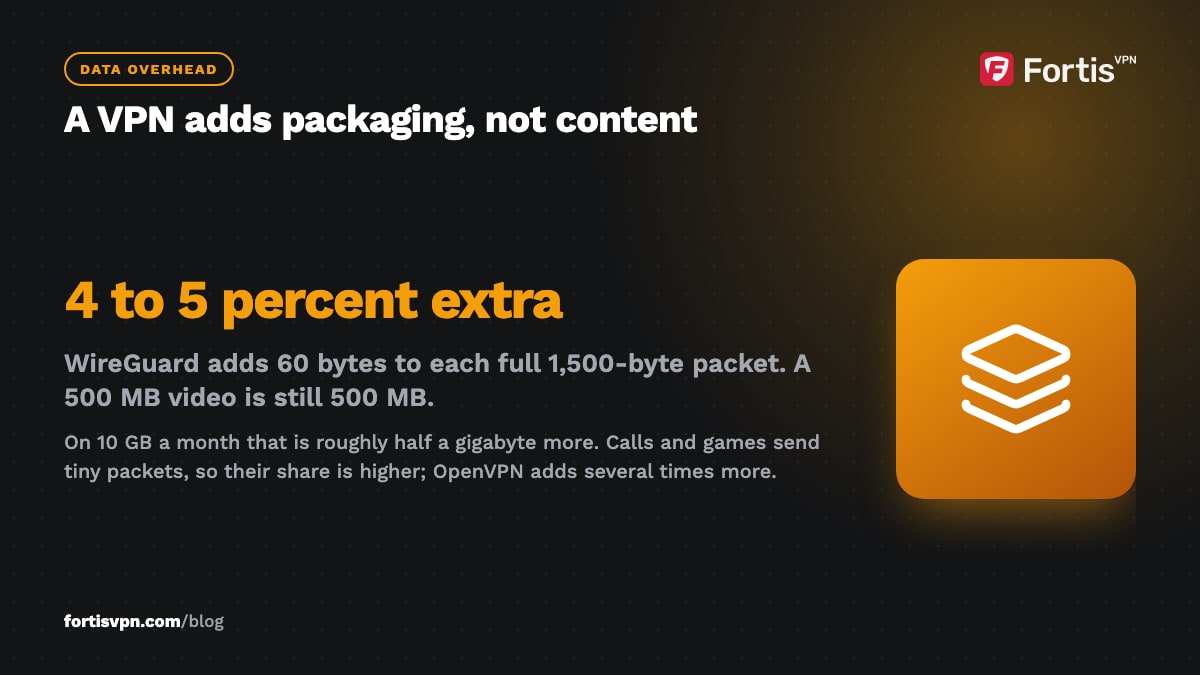
Overhead is a share of each packet, so small packets cost more. Voice calls, games and messaging send many tiny packets, and the fixed 60 bytes is a bigger slice of each one. Large downloads and video streams send full-size packets and sit near the low end.
In practice: if you use 10 GB a month, a VPN on WireGuard adds roughly half a gigabyte. Noticeable on a tight cap, invisible on an unlimited one.
Does a VPN count against your data cap?
Yes. Your carrier or ISP counts VPN data usage like any other: every byte through the tunnel still passes through their network and their meter. A VPN cannot hide traffic from the meter, and it cannot compress video, which the streaming service has already compressed.
Some mobile plans exempt specific apps, such as a music or video service that does not count against your allowance. Those deals work by recognising the app's traffic. Inside a VPN tunnel the carrier cannot recognise it, so the exempt app gets counted. Use split tunnelling to keep that app outside the VPN if you rely on the deal.
The flip side: some ISPs slow down video or large downloads once they recognise them. A VPN hides what the traffic is, so the throttle cannot target it, and streams can get faster even though the data is slightly larger. Our article on whether a VPN stops ISP throttling explains when that applies.
Why does a VPN drain battery?
Three things, in order of size:
- Encryption. The processor encrypts everything leaving the phone and decrypts everything arriving. Modern phones do this efficiently, but it is still work that would not otherwise happen, and it scales with how much you transfer. Streaming for an hour costs more than idle browsing.
- Keeping the tunnel alive. The app needs the connection to survive sleep, so it may send small keepalive packets and stop the radio from idling as deeply as it otherwise would. This is the cost you pay while doing nothing.
- Reconnecting. Each time you move between WiFi and mobile data, or the signal drops, the VPN tears down and rebuilds the tunnel. A phone on a weak signal that reconnects every few minutes spends far more battery on the VPN than one sitting on stable WiFi.
Two things that cost nothing on their own: the kill switch, which is a rule that waits for the tunnel to drop and does nothing until then, and a VPN app that is installed but disconnected.
Which VPN protocol uses the least battery and data?
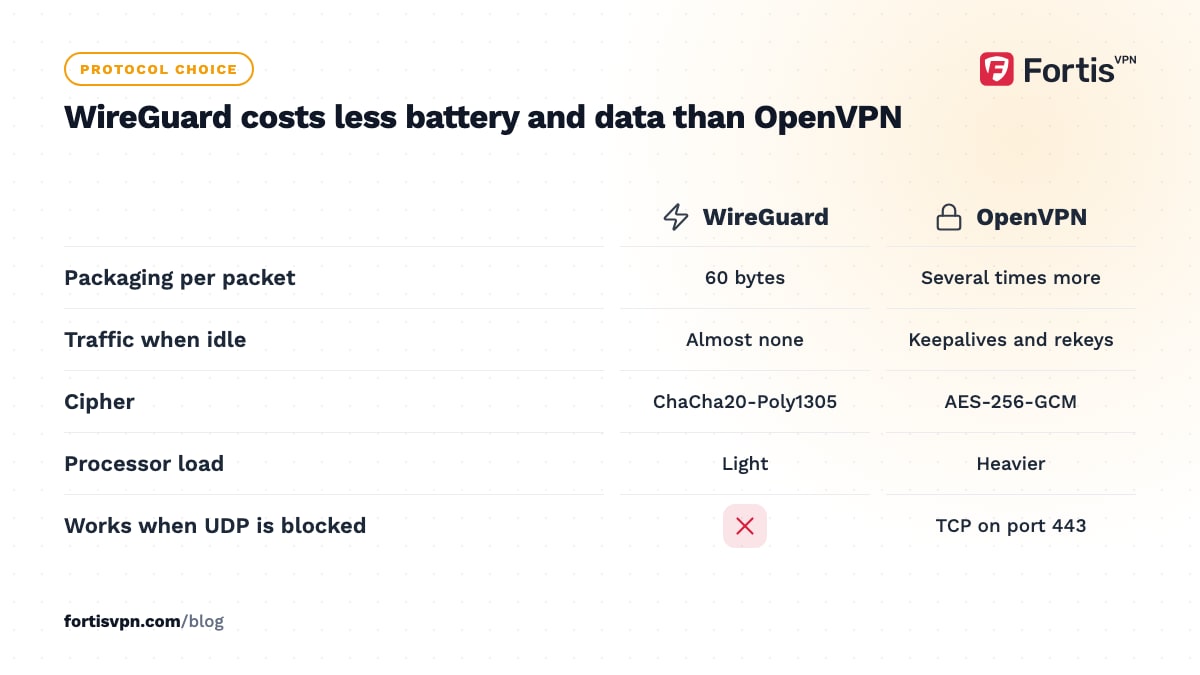
WireGuard. It uses a modern cipher (ChaCha20-Poly1305) that runs fast on phone processors without dedicated hardware, its code is small, and it stays quiet when there is nothing to send, then resumes almost instantly when the phone wakes or changes network. Those traits are exactly what a battery wants. The full picture is in WireGuard protocol explained.
OpenVPN does more work per packet, sends periodic keepalives, and renegotiates keys on a timer, so it costs more battery for the same traffic. It is still the right choice when a network blocks WireGuard's UDP traffic. IKEv2 sits between the two and reconnects very quickly when switching networks, which is why it is popular on phones. All three are compared in VPN protocols explained.
In most apps, the Auto setting picks a protocol that works on the current network. Leave it on Auto unless you have a reason, and choose WireGuard by hand if battery is the reason.
8 ways to cut VPN battery and data use
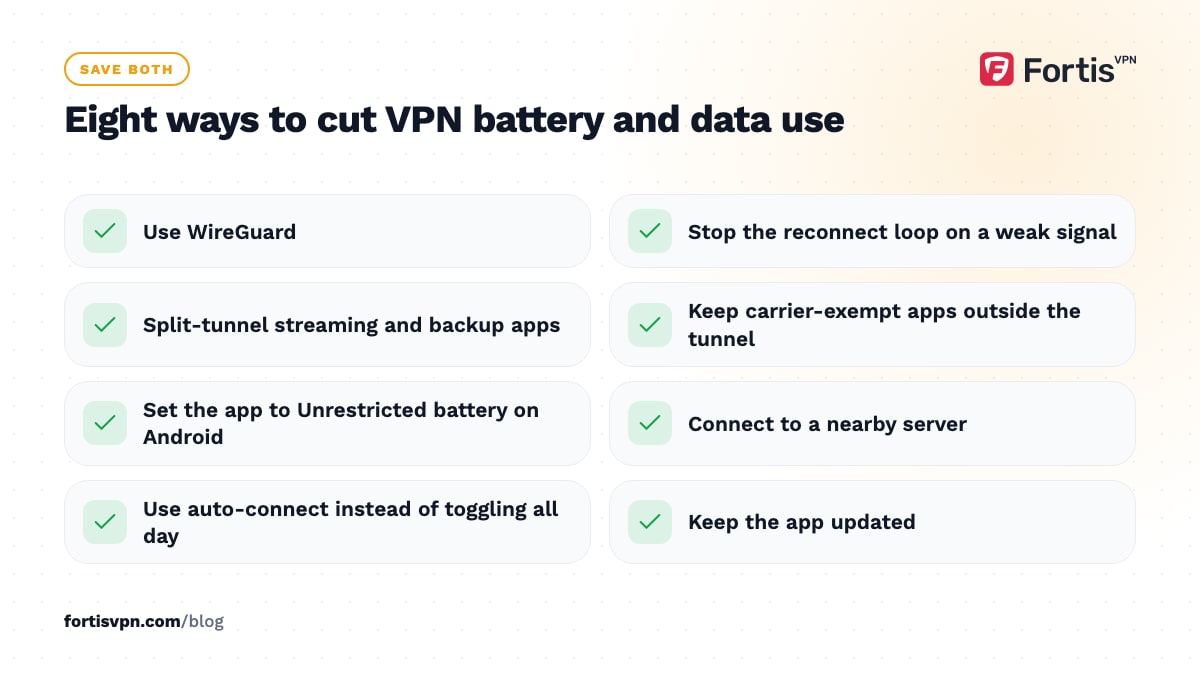
- Use WireGuard. The single biggest saving on both counts.
- Stop the reconnect loop. If the VPN keeps dropping on a weak signal, that is where the battery goes. Fix the signal, prefer WiFi, or change protocol; see why a VPN keeps disconnecting.
- Use split tunnelling for heavy apps. Keep streaming and backup apps outside the VPN when they do not need it, so their traffic is neither wrapped nor encrypted. How it works: split tunnelling explained.
- Keep exempt apps outside the tunnel so your carrier still recognises them and does not count them.
- Exempt the VPN from battery optimisation. On Android: Settings, Apps, the VPN app, Battery, choose Unrestricted. Otherwise the system may kill and restart it repeatedly, which costs more than letting it run.
- Connect to a nearby server. Shorter routes mean fewer retransmissions and less time with the radio active.
- Decide when it should connect. If you only want the VPN on untrusted networks, use the app's auto-connect or trusted-network options where available, rather than toggling it by hand all day.
- Keep the app updated. Updates often include fixes for reconnect loops and keepalive timing, which are the usual battery culprits.
Android vs iPhone: is there a difference?
Both run the VPN as a system-level service, so the costs are similar in kind. The differences are in how the system manages apps.
On Android, VPN battery drain usually comes from battery optimisation suspending the app in the background and forcing reconnects. The Unrestricted setting above and the system's Always-on VPN option, under Settings, Network and internet, VPN, keep it running steadily. Android also shows the app's share in Settings, Battery, so you can see the real cost rather than guessing.
On iPhone, the VPN runs through a system framework that stays up when the app is closed, and iOS manages it tightly. Battery use tends to be steady and low, with the same two drivers: heavy transfer and frequent reconnects. Check Settings, Battery to see the app's share. FortisVPN does not have an iPhone app yet as of October 2026, so this is general iPhone advice.
Does it matter on a TV or Windows PC?
Not for battery; they are plugged in. Data still counts if your home connection has a cap, and a TV streaming through a VPN for 4 hours a night adds a few percent to a lot of gigabytes, so it is worth knowing.
What you may notice instead is processor load. A Fire TV Stick or budget Android TV box has a small processor, and encrypting a 4K stream can push it hard, which shows up as buffering. WireGuard is the fix there too; it needs far less processing than OpenVPN. On a Windows laptop the same logic applies when you are on battery: WireGuard, a nearby server, and split tunnelling for large downloads you do not need protected.
FortisVPN on battery and data
The FortisVPN apps offer Auto, WireGuard, OpenVPN UDP and OpenVPN TCP under Settings. For the lowest battery and data cost, pick WireGuard, or leave Auto and switch only if a network blocks it. Split tunnelling on Windows, Android, Android TV and Fire TV lets you keep bandwidth-heavy apps outside the tunnel; the Android TV steps are in split tunnelling on Android TV. The kill switch on Windows and auto-connect on the TV apps add no meaningful load of their own. If you want to see the cost on your own phone, start a 7-day free trial, connect on WireGuard for a day, and compare the app's share in your battery settings before and after.
Frequently asked questions
Does a VPN use data when it is not connected?
Almost none. A disconnected VPN app may check for updates or fetch the server list when you open it, which is a few kilobytes. It does not route, encrypt or wrap any traffic until you connect, so your data use is the same as it would be without the app installed.
Does a VPN make my phone hot?
Normally no. Encryption on a modern phone is light work. A phone that heats up with a VPN on is usually doing something heavy at the same time, such as streaming video on mobile data with a weak signal, or it is stuck in a reconnect loop. Switch to WireGuard, move to better signal, and check the app's battery share.
Does a VPN use more data on mobile than on WiFi?
The overhead percentage is the same on both. The difference is that only mobile data has a cap, so the extra few percent matters there and is invisible at home. Mobile also tends to drop and reconnect more, which adds a little handshake traffic each time, though far less than the packaging overhead.
Is it OK to leave a VPN on overnight?
Yes. An idle phone sends little traffic, so there is little to encrypt, and WireGuard sends little or nothing when idle. The overnight cost is small, and leaving it on means you are protected the moment you pick the phone up. See should you leave your VPN on all the time.
Which VPN protocol uses the least battery?
WireGuard, by a clear margin. It encrypts with a cipher designed to run fast on phone processors, keeps no chatter going when idle, and resumes almost instantly after sleep. IKEv2 is close behind and reconnects quickly on network changes. OpenVPN costs the most and is best kept for networks that block the others.
Last updated: 4 October 2026